
Sales · A day in the pipe
Less busywork.
More selling.
Herd: Work turns a seller’s email and messages into pipeline: suggested opportunities, AI deal analysis, MEDDPICC qualification and lead discovery, all in one place.
Follow Rachel Kim through one working session in our demo company, in under two minutes.
The demo · 1:49 · with voiceover
From inbox to pipeline to new leads.
Rachel turns an email into a $72,000 opportunity, analyzes it, qualifies it, moves it forward and finds her next lead. Everything you see is the product itself, recorded in a live demo company.
Recorded in Herd: Work on demo data. Captions available. The soundtrack in the header pauses while the video plays.
Step by step · 13 moments
Scroll the session.
The same session as the video, one screen at a time. Every image is a capture from the product.
-
01Suggestions
Every inbox, already read
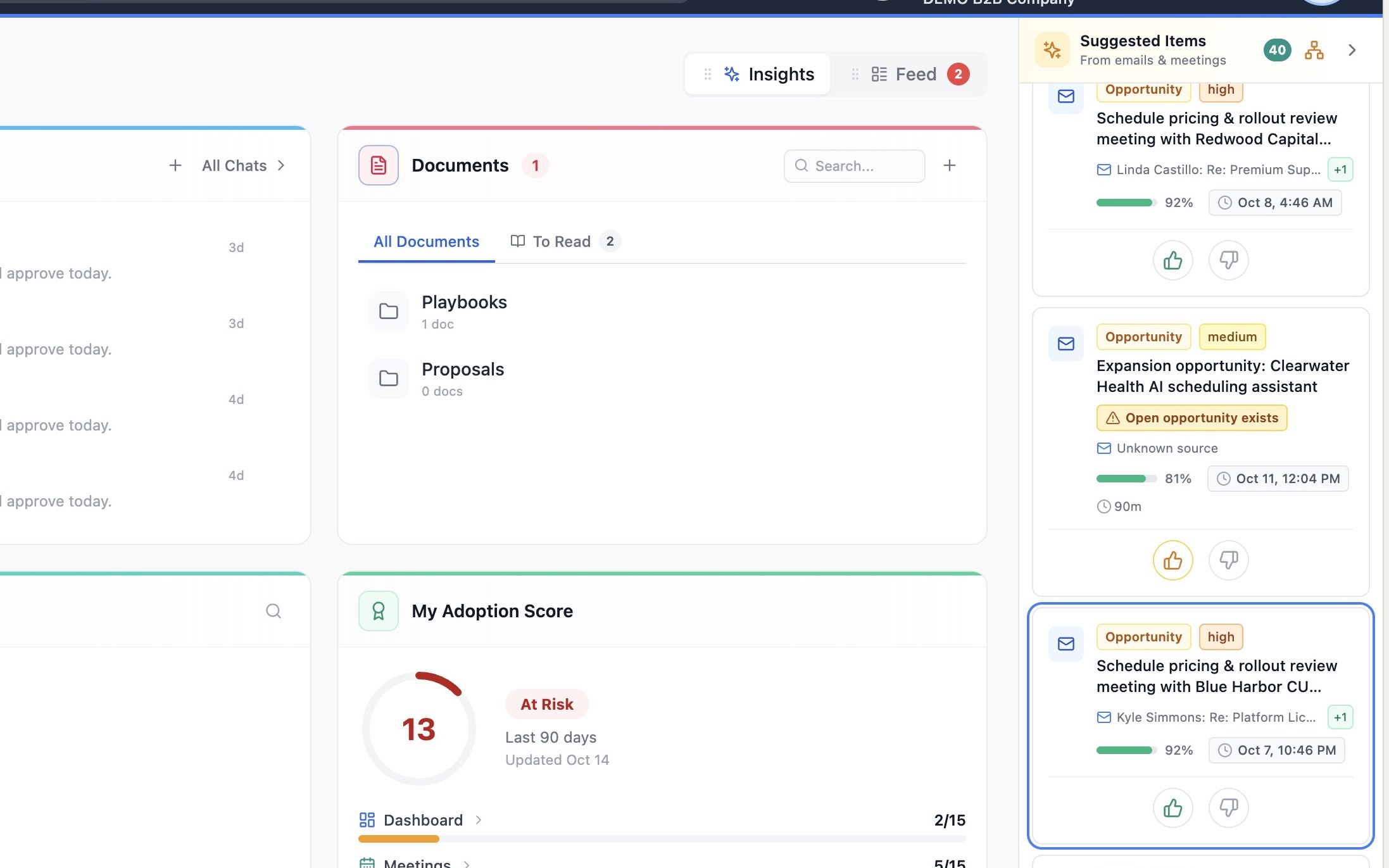
Herd: Work reads Rachel’s connected Google and Microsoft Teams accounts and lines up suggested work items, each with a type, priority and confidence score. This one, from Kyle Simmons’s email, is a new opportunity at Blue Harbor Credit Union, flagged at 92% confidence.
-
02Create
One click to a real opportunity
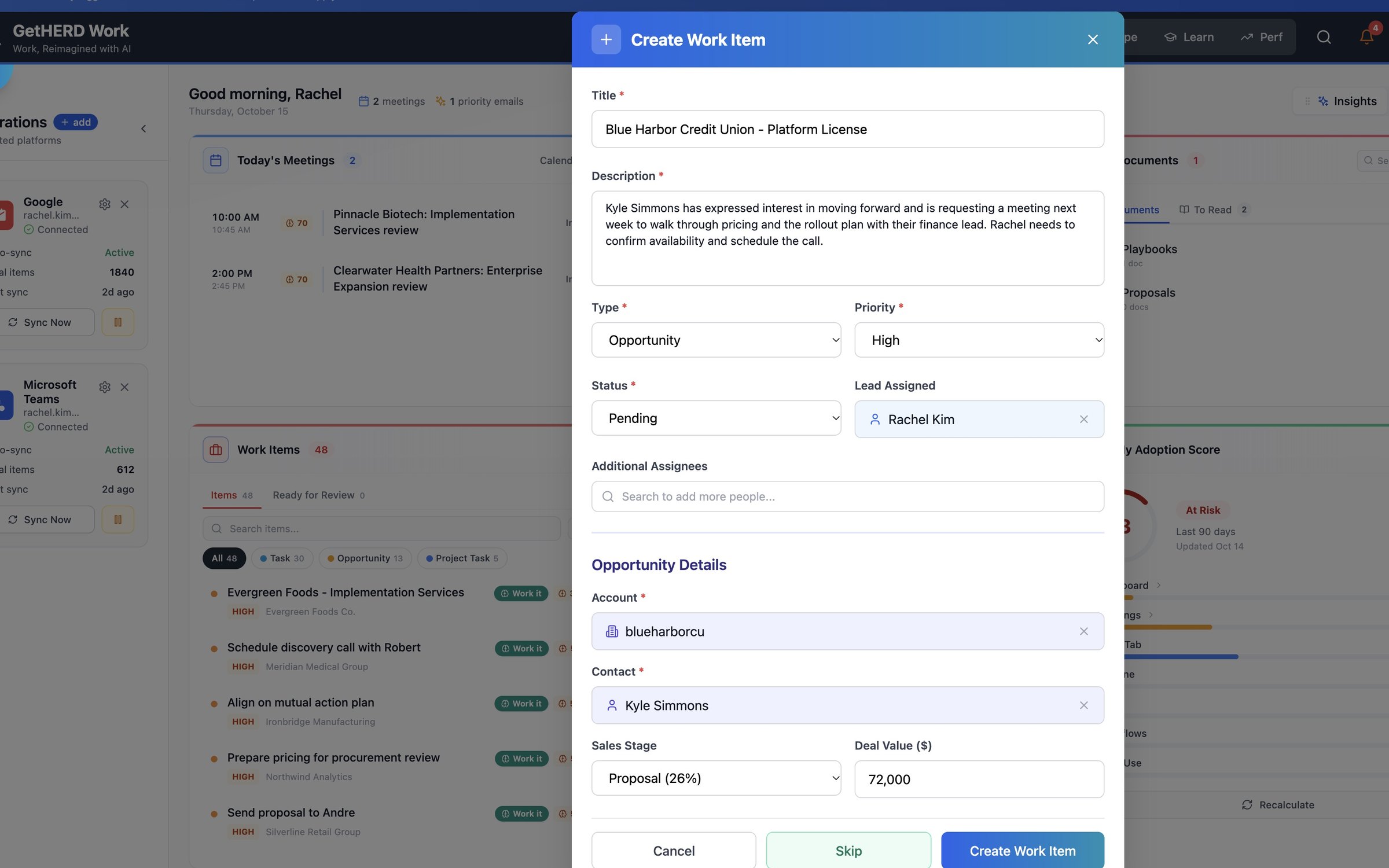
Accepting the suggestion opens a work item that is already filled in: title, description, type, priority, account and contact all come from the email. Rachel adds a $72,000 deal value and creates it.
-
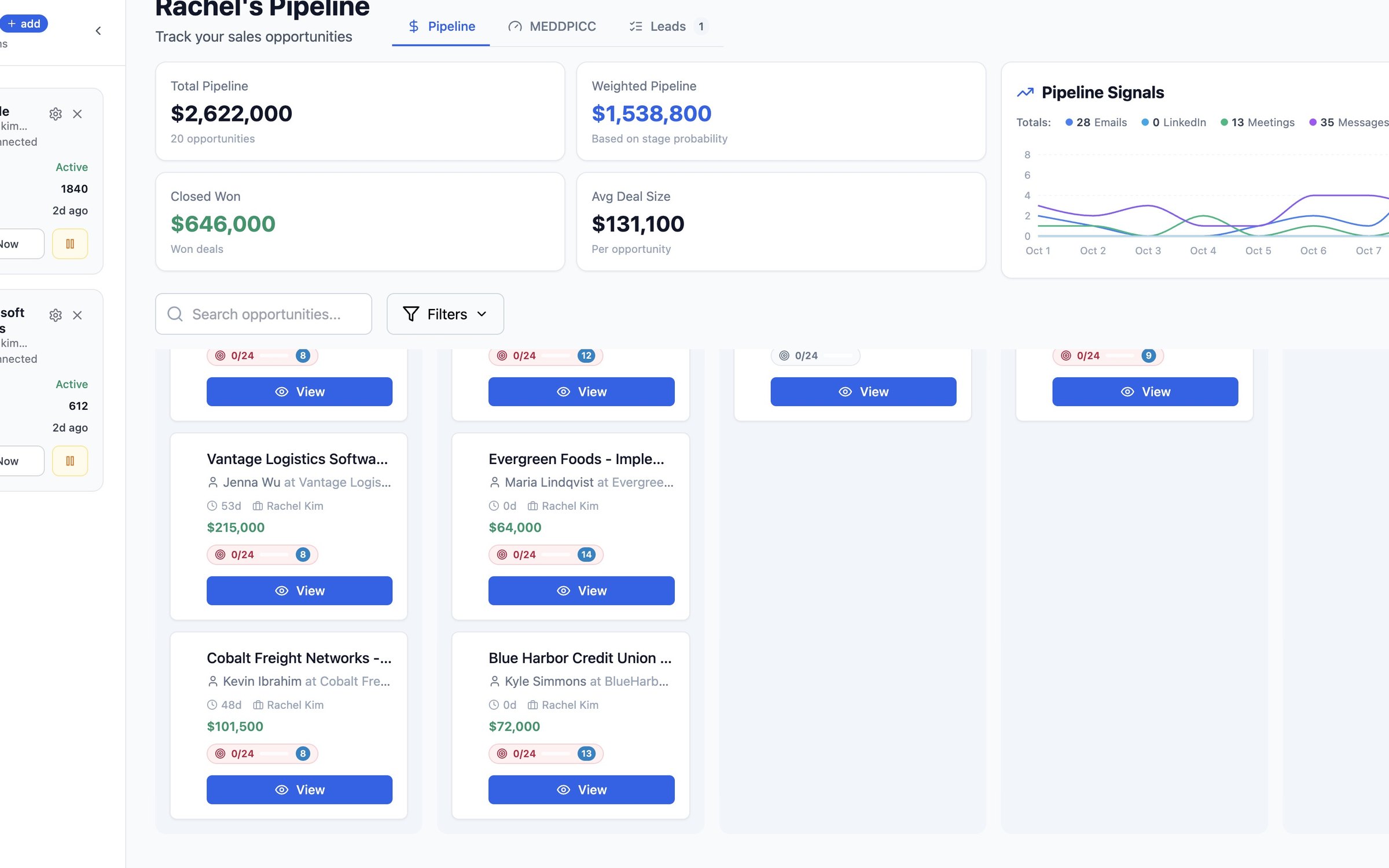
03Pipe
The pipe at a glance
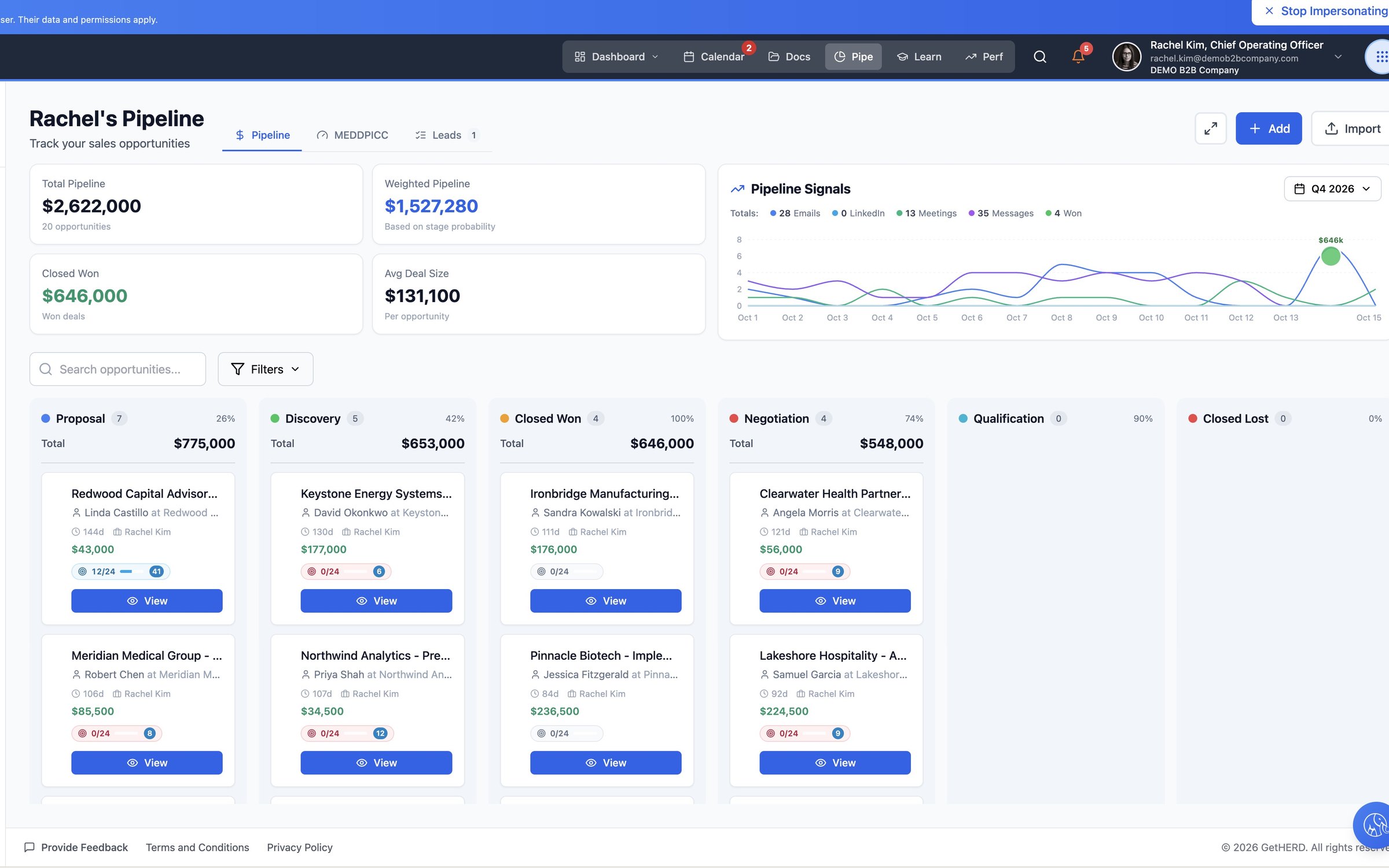
Total pipeline, weighted pipeline, closed won and average deal size sit above a board of every deal by stage, each card carrying its MEDDPICC score.
-
04Qualify
MEDDPICC health, deal by deal
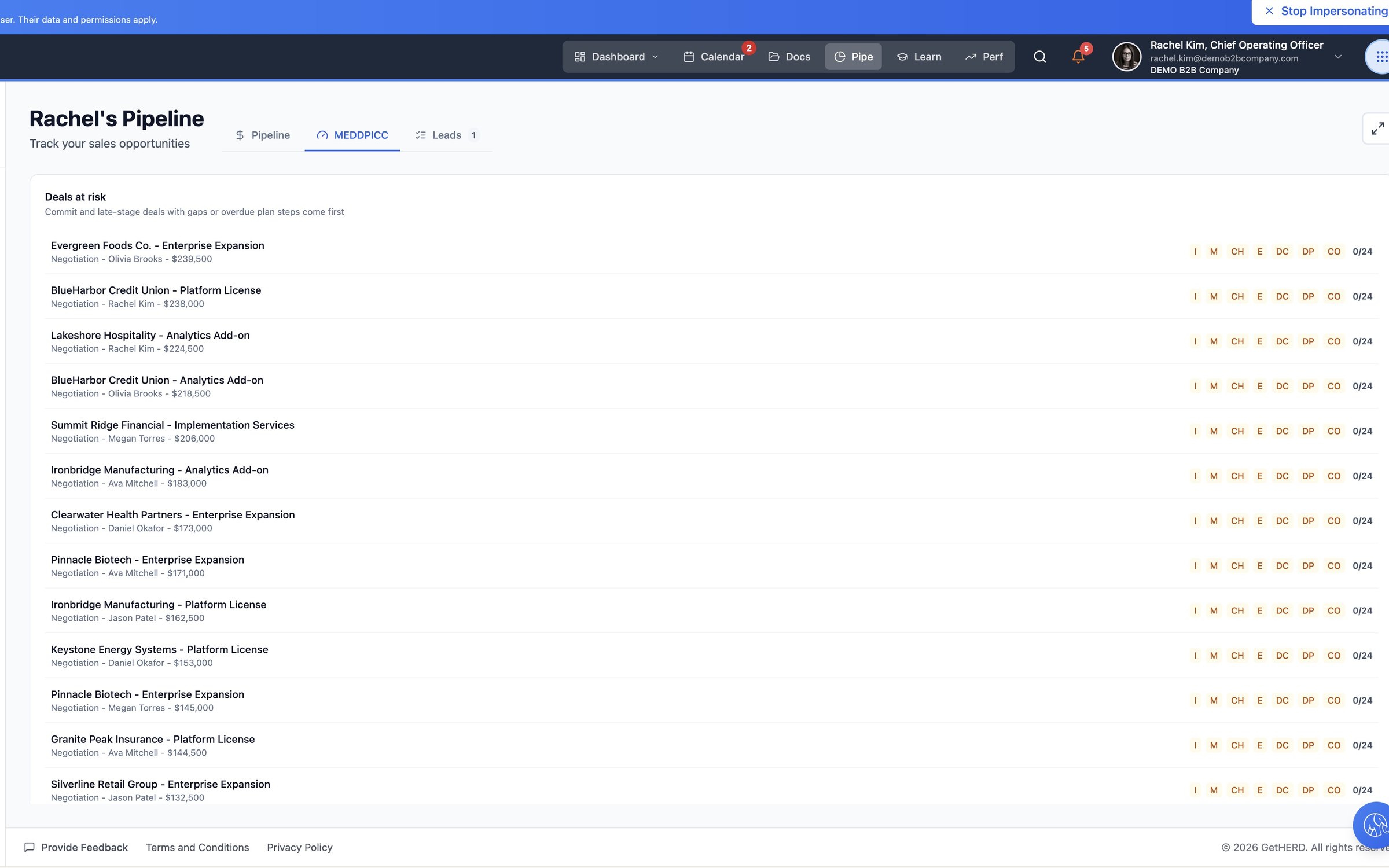
The MEDDPICC tab lists the deals at risk and shows, area by area, what each one has and hasn’t confirmed.
-
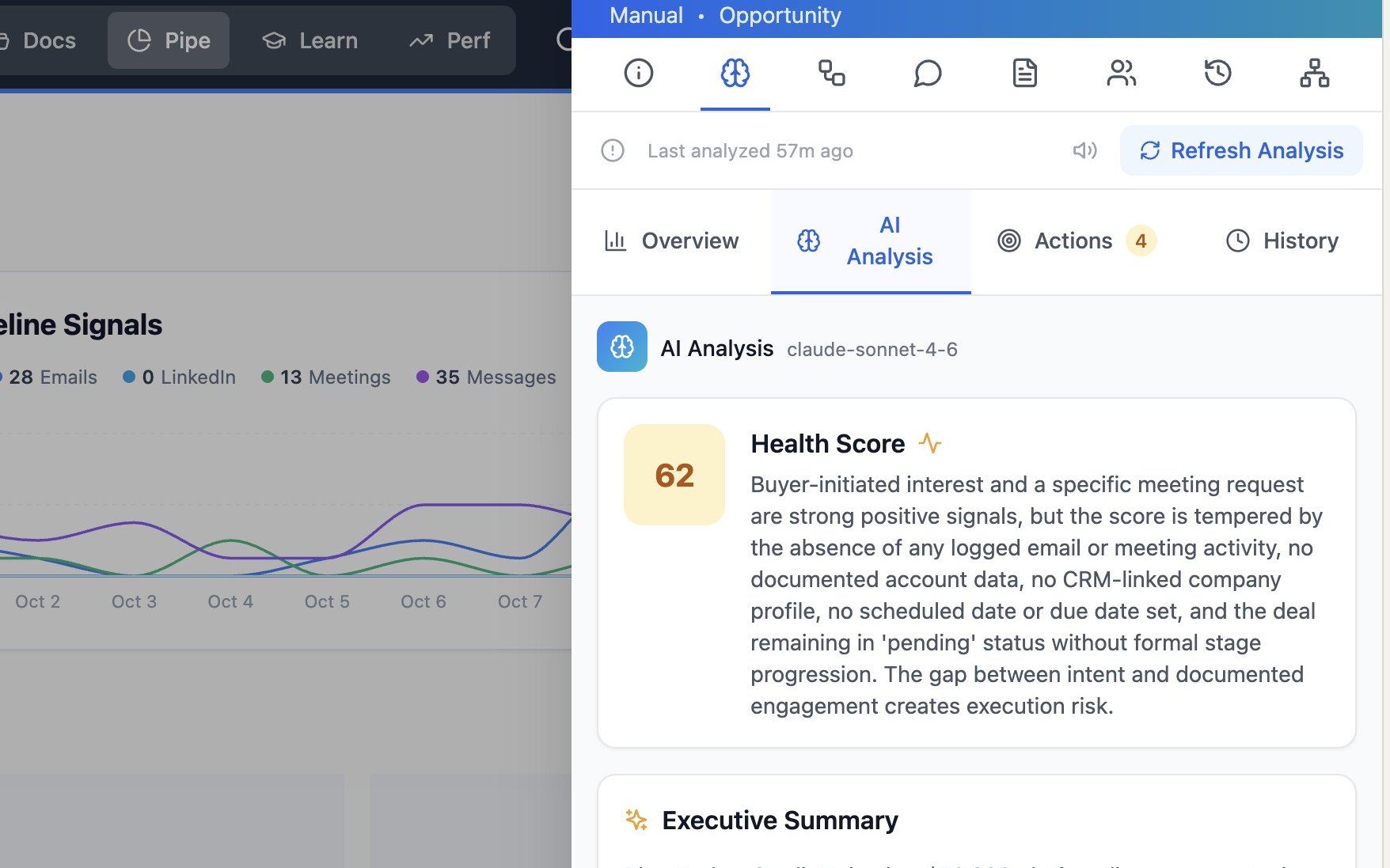
05Analyze
AI analysis on demand
One click on AI Analysis works through the deal’s emails, meetings, company data and documents, then returns a health score, an executive summary, strengths, risks and next actions. Blue Harbor comes back at 62.
-
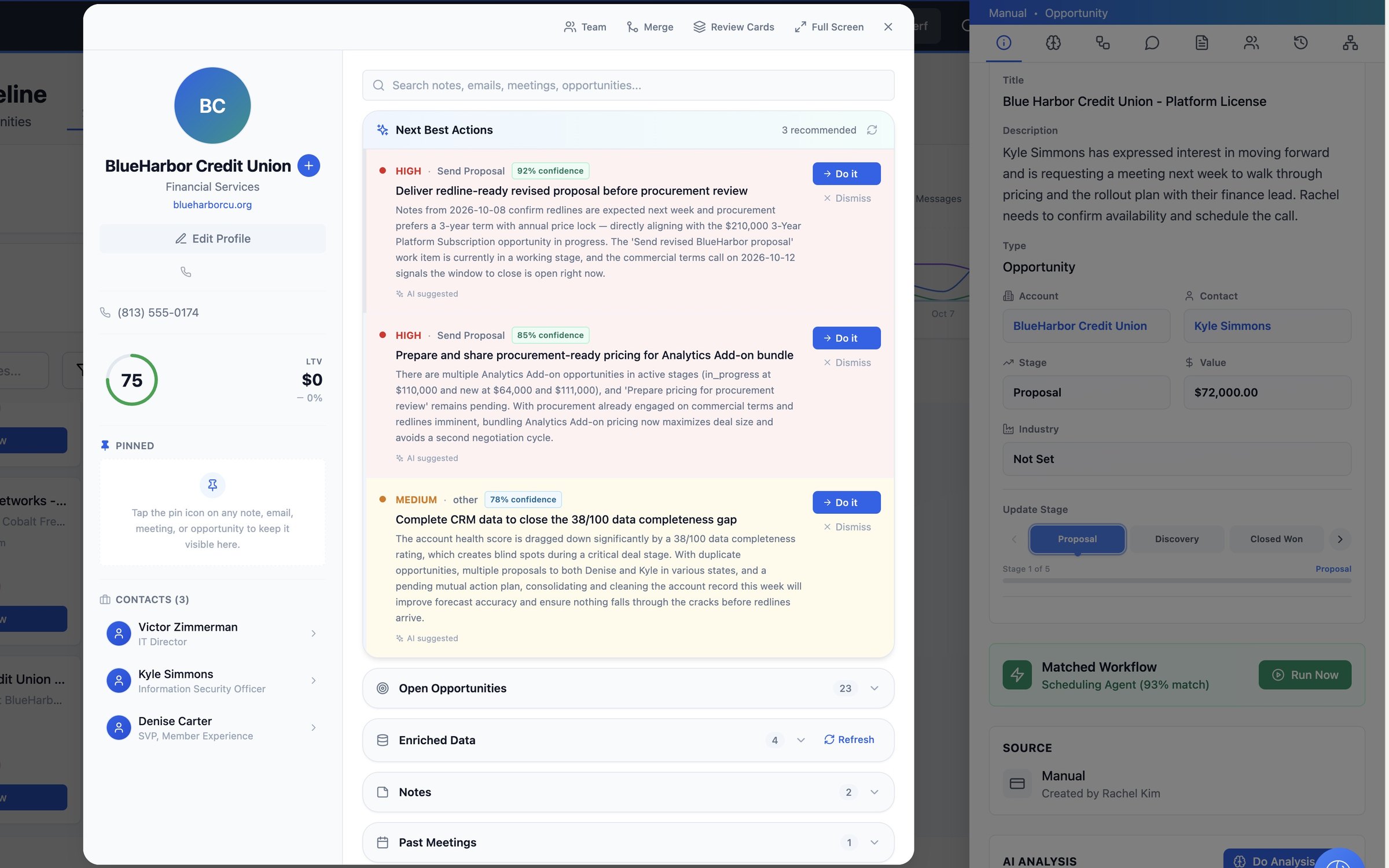
06Context
The account behind the deal
From the opportunity, the BlueHarbor Credit Union account opens with its three contacts, next best actions, open opportunities, notes, meetings and emails.
-
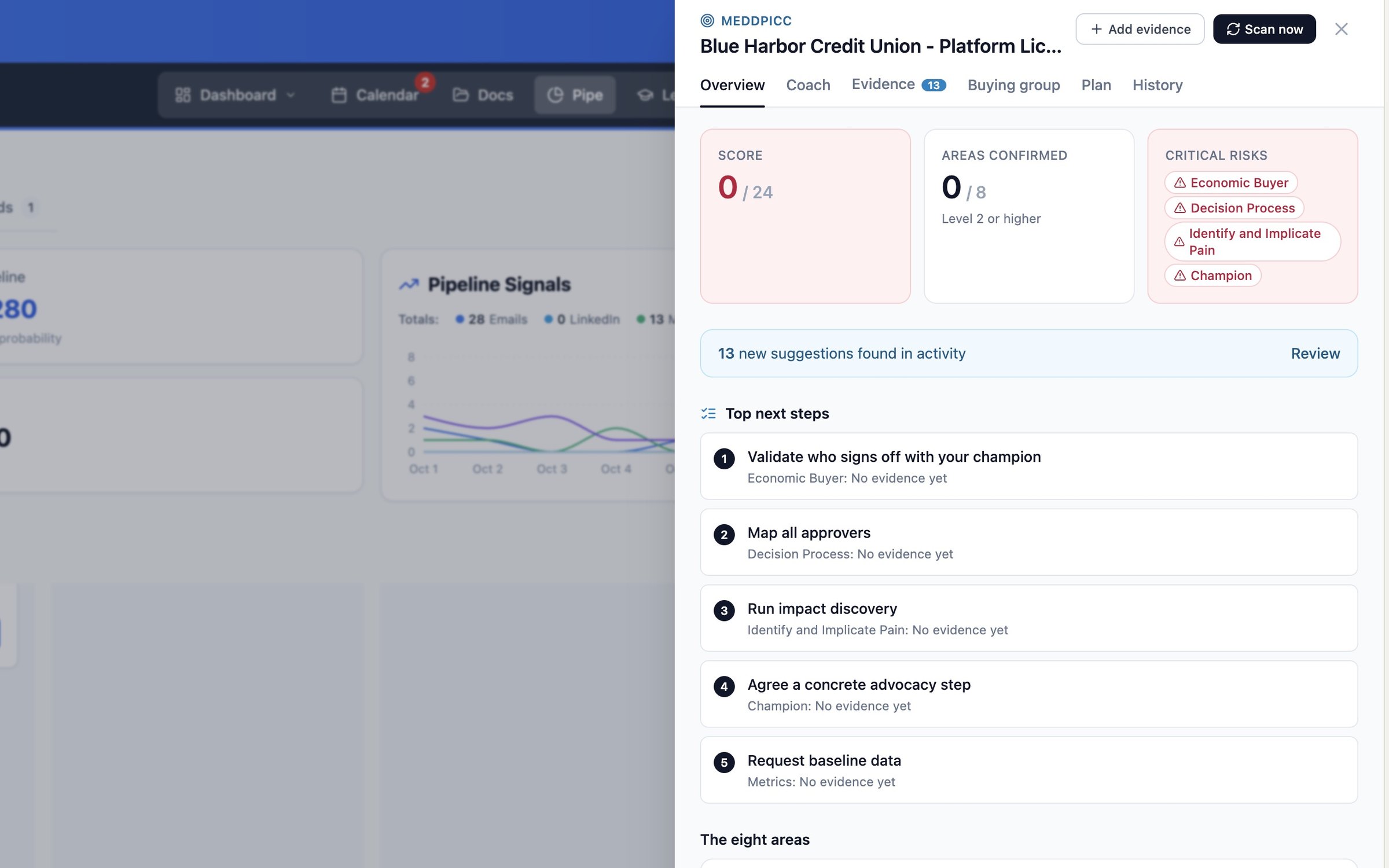
07MEDDPICC
Qualification, built in
The MEDDPICC panel shows the score out of 24, confirmed areas, critical risks and the top next steps, and it has already found new suggestions in the account’s activity.
-
08Move
Drag the deal forward
Close the panel and drag the card to its next stage. The pipeline totals update as soon as it lands.
-
09Signals
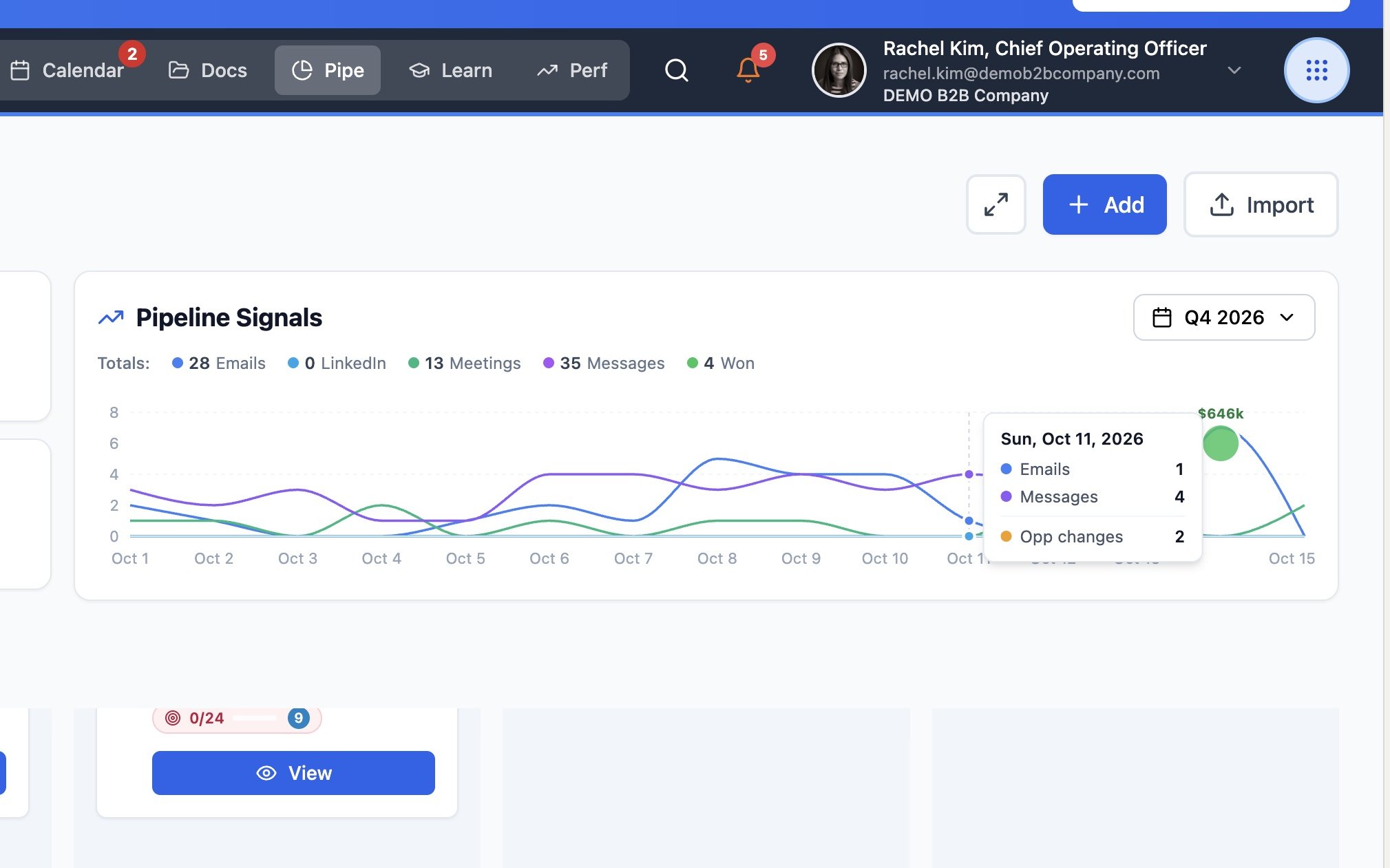
Pipeline Signals
The chart above the board tracks emails, LinkedIn, meetings, messages and won deals day by day across the quarter. Hover any day for the breakdown.
-
10Import
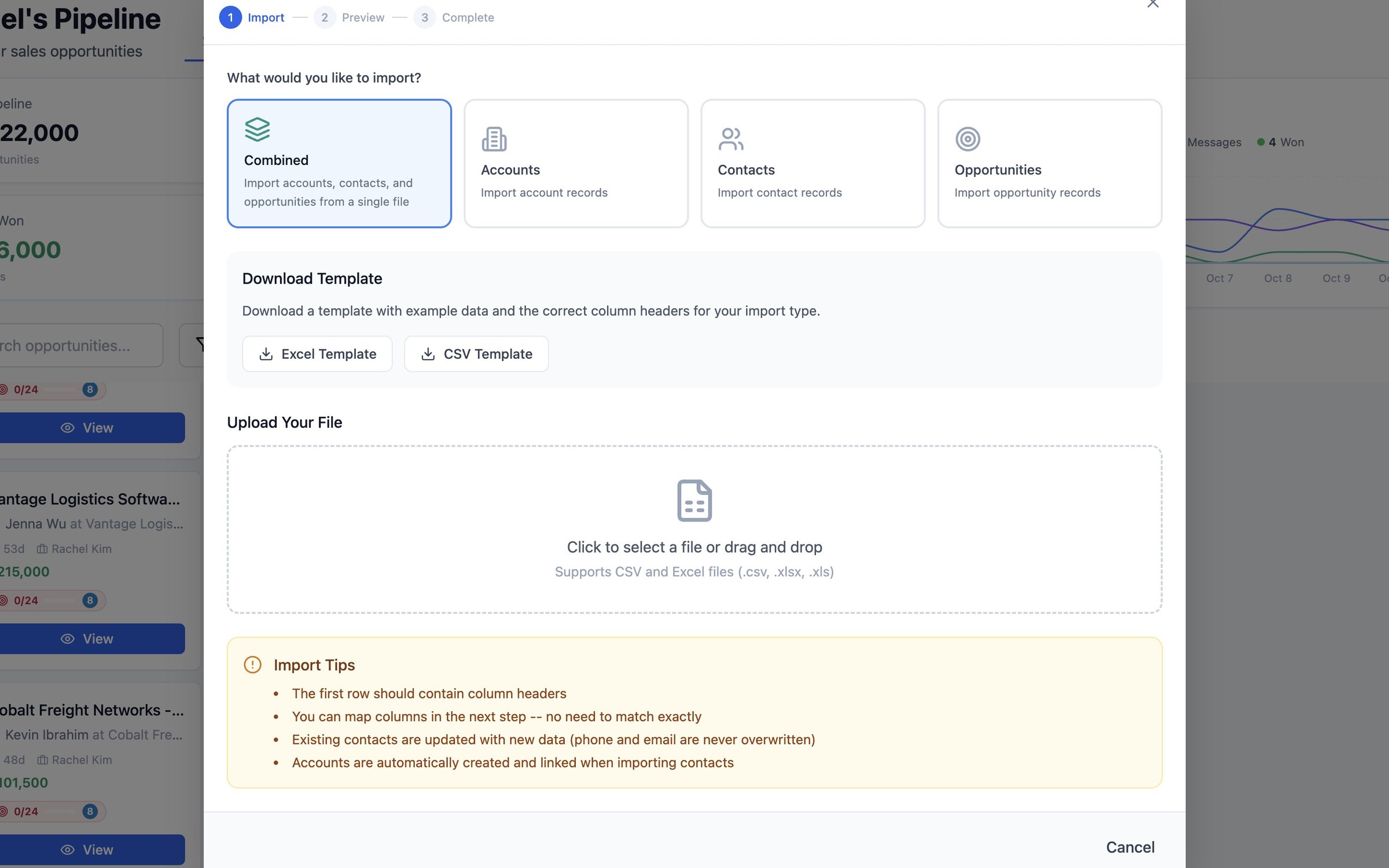
Import or add
Bring in accounts, contacts and opportunities from CSV or Excel using ready-made templates, or add a single work item by hand.
-
11Find Leads
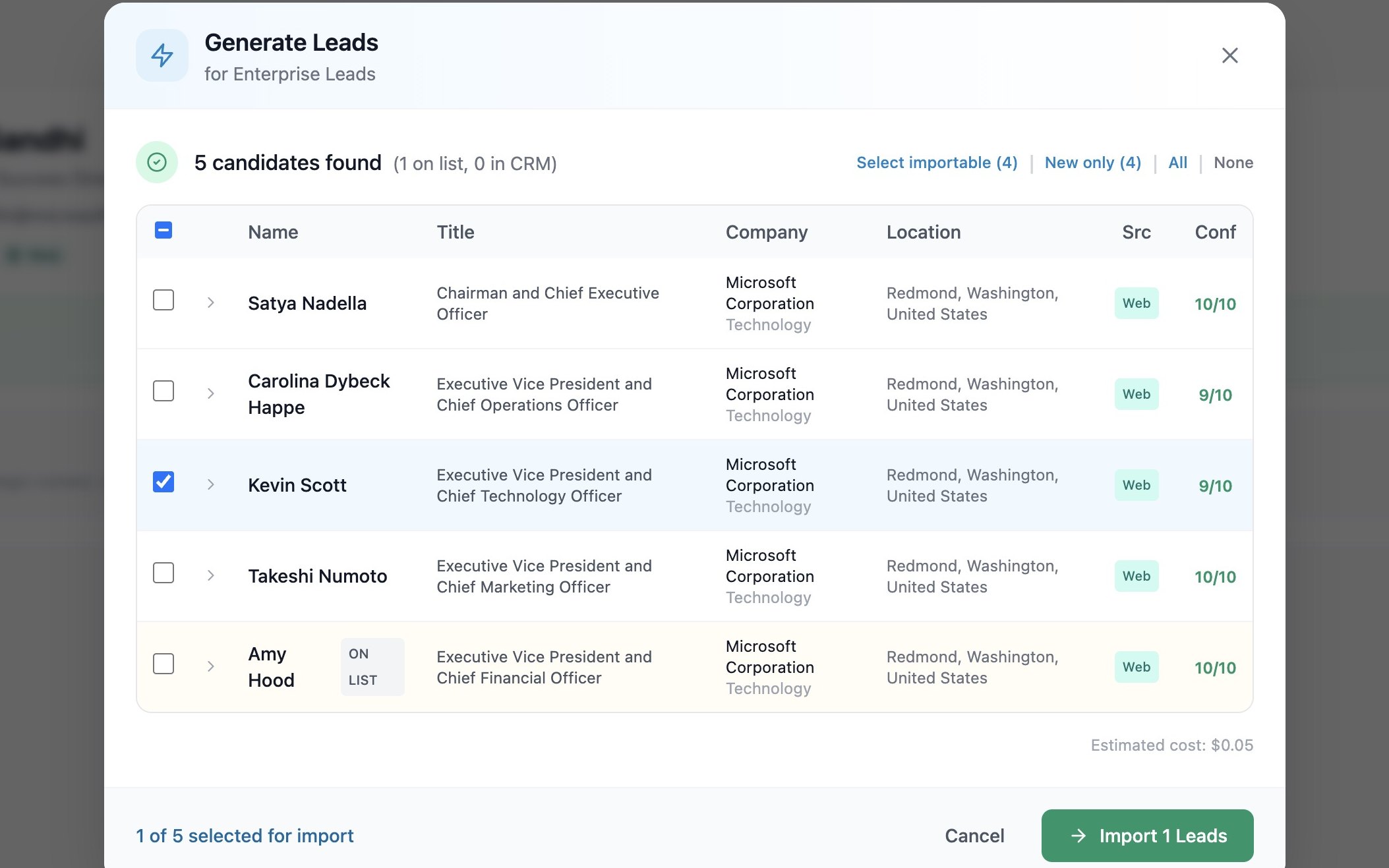
Find the right people
Describe who you want. A prompt search for “C-suite executives at Microsoft” returns named executives with title, location, source and a confidence score, and marks anyone already on the list.
-
12Add
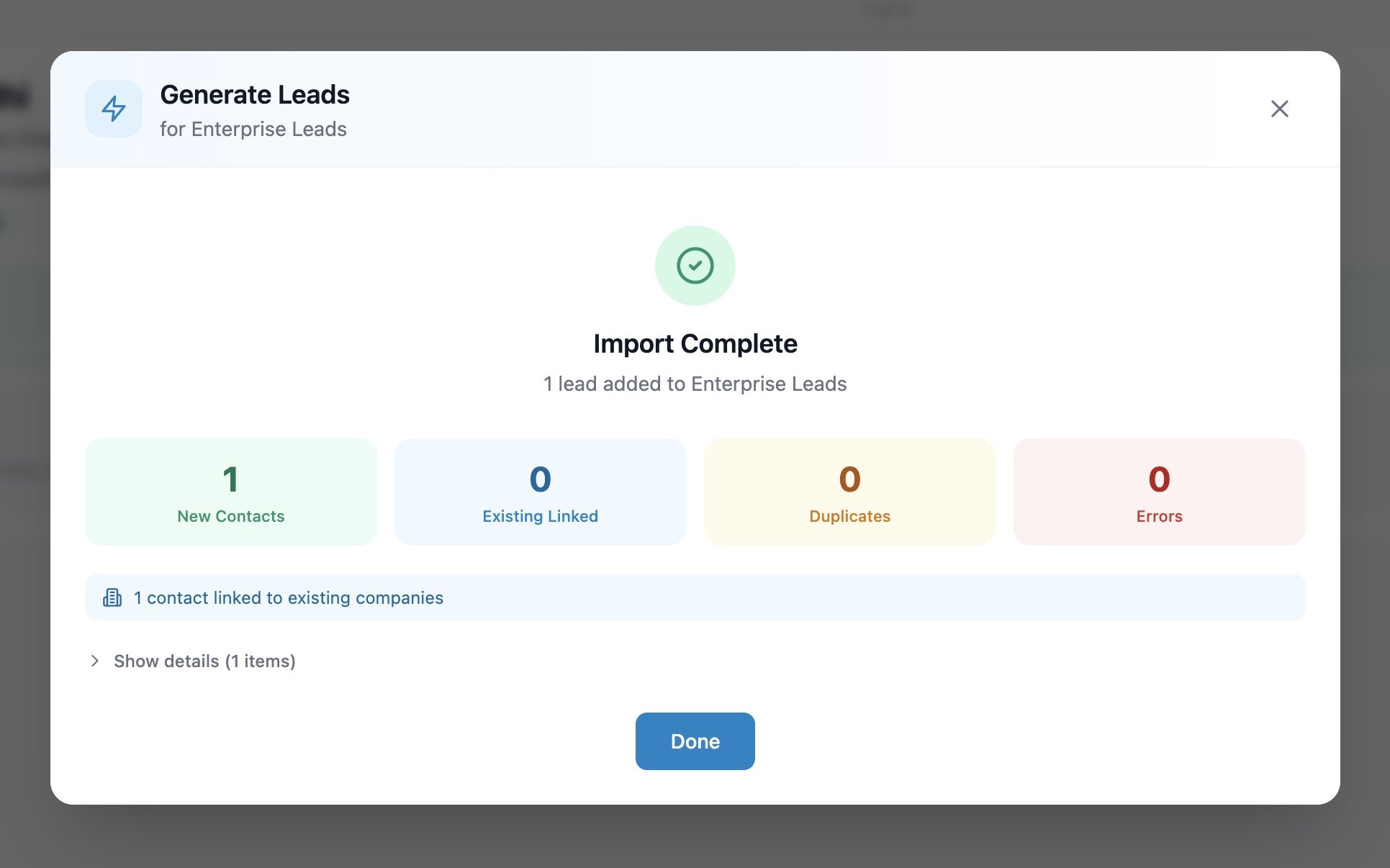
Onto the list in one click
Rachel selects Kevin Scott and imports him: one new contact, linked to the existing company and added to Enterprise Leads.
-
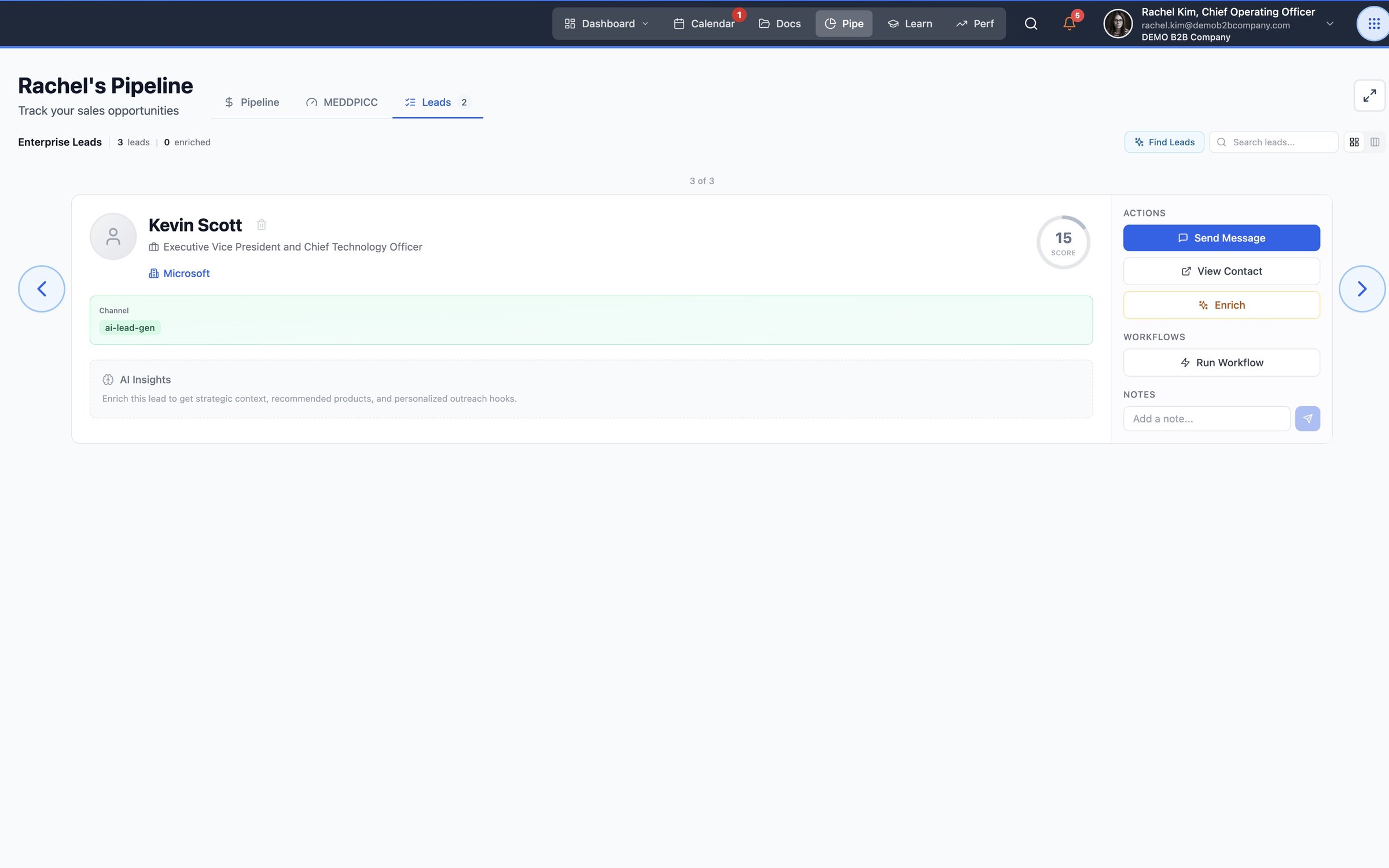
13Leads
Ready to work
Every lead card comes with its next moves: Send Message, View Contact, Enrich and Run Workflow.
01 / 13Every inbox, already read
Go deeper
MEDDPICC, from first scan to signed.
See every tab of the MEDDPICC panel on a real demo deal: the scan, the coach, the evidence, the buying group and the plan.
Watch the MEDDPICC demoWelcome to the Oasis.
Want this on your pipeline?
A free proof-of-concept puts Herd: Work on your real deals, with no per-seat licenses, and a founder replies within one business day.