
Herd IDP · Identity and SSO
One identity.
Every app.
Herd IDP gives every person a single identity across all Herd AI applications and any SSO/SAML-enabled application in your company. No more multiple logins.
Single sign-on, passkeys, AI agents that work across apps, company setup, user access and full audit logs, in under two minutes.
The demo · 1:58 · with voiceover
Sign in once. Work everywhere.
From the sign-in page to the app topology, an AI agent that answers with tools from several apps, company setup, user access and the audit log. Everything you see is the product itself.
Recorded in the live Herd IDP. Email addresses, IP addresses, client IDs and other companies’ data are blurred. Captions available. The soundtrack in the header pauses while the video plays.
Step by step · 13 moments
Scroll the identity layer.
The same session as the video, one screen at a time. Every image is a capture from the product.
-
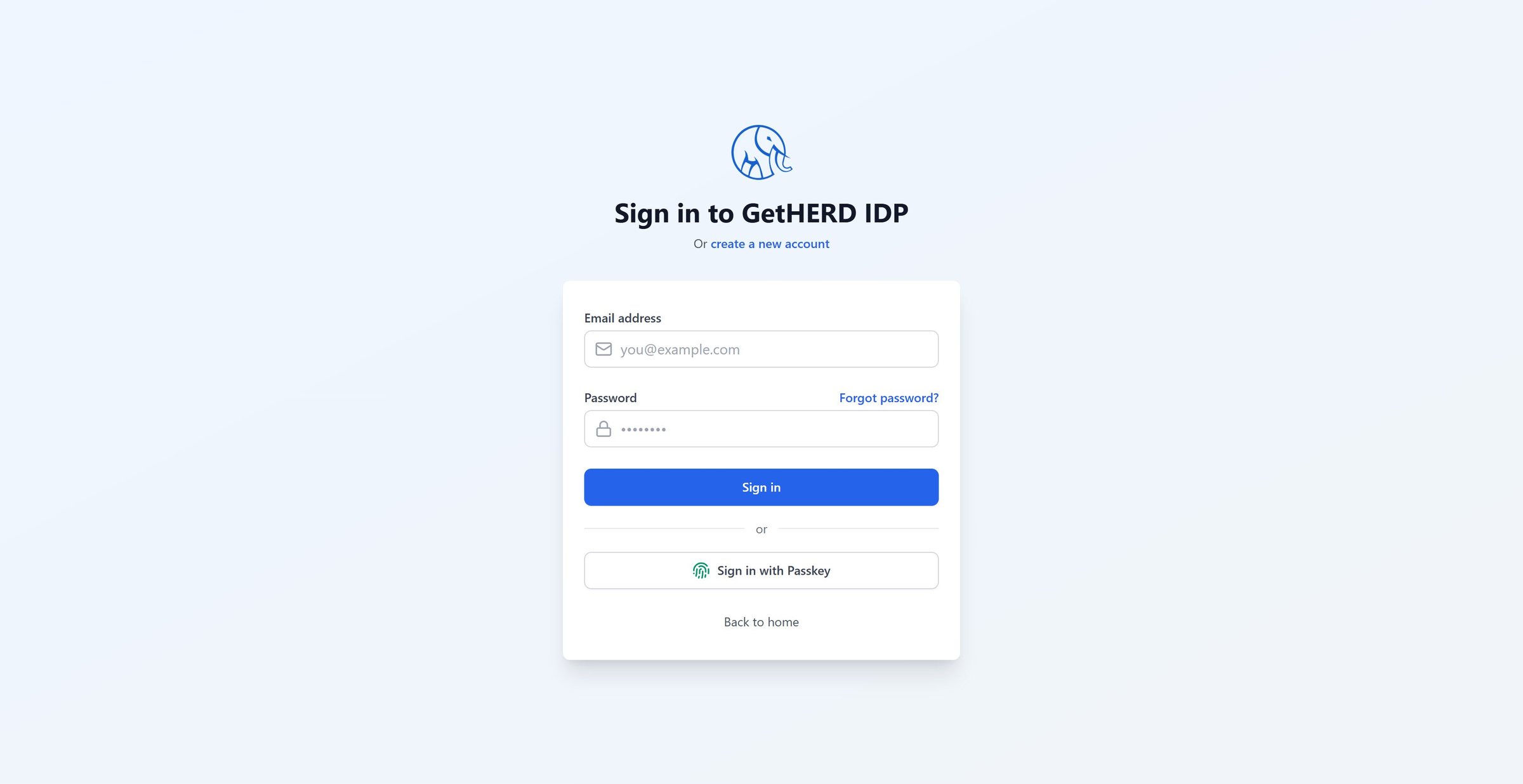
01Sign in
Sign in once
One sign-in page for every Herd AI application, with a password or a passkey (Face ID, Touch ID or Windows Hello).
-
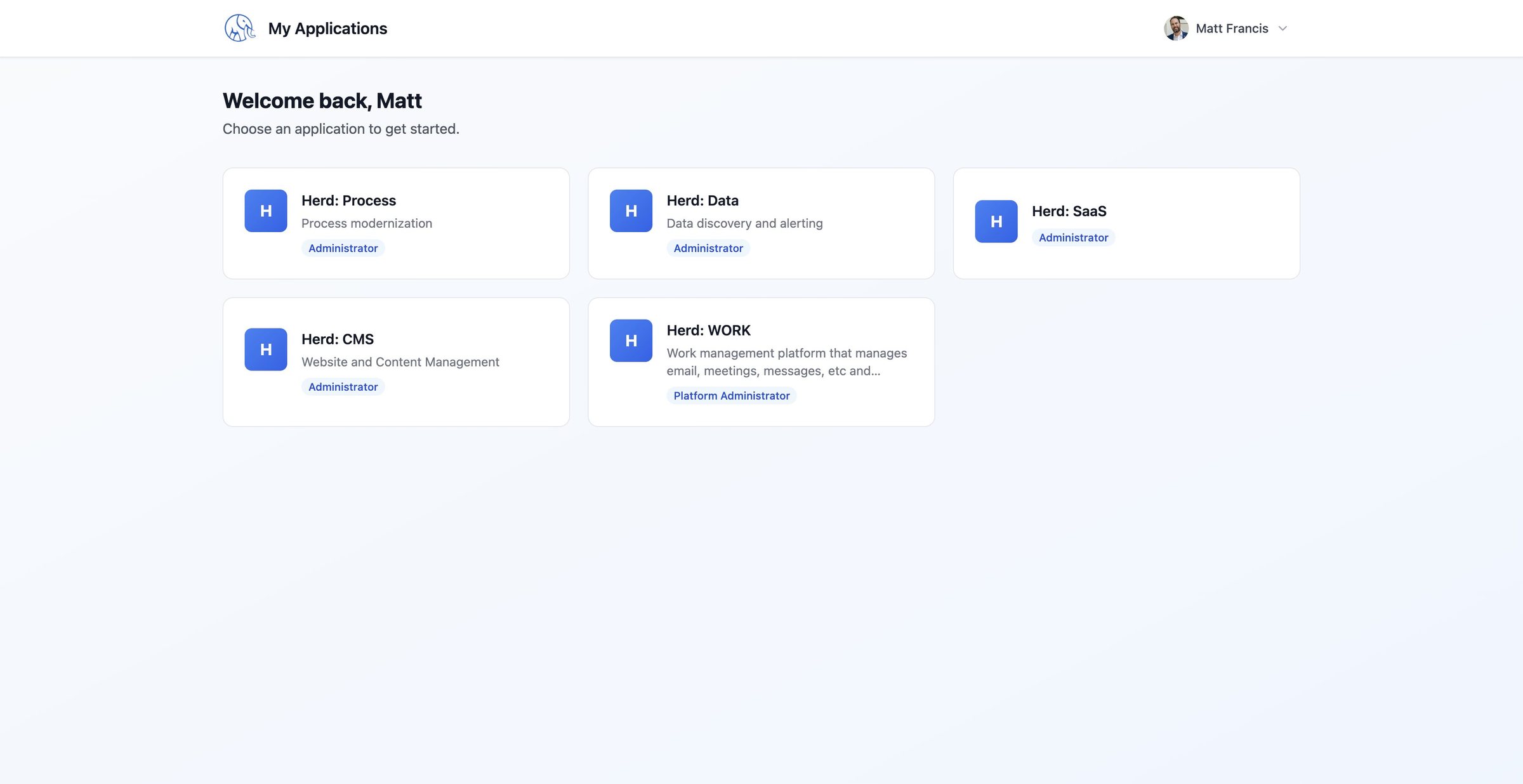
02Launch
Your apps, one place
After sign-in, people land on My Applications: Herd: Process, Data, SaaS, CMS and WORK, each showing the role they hold.
-
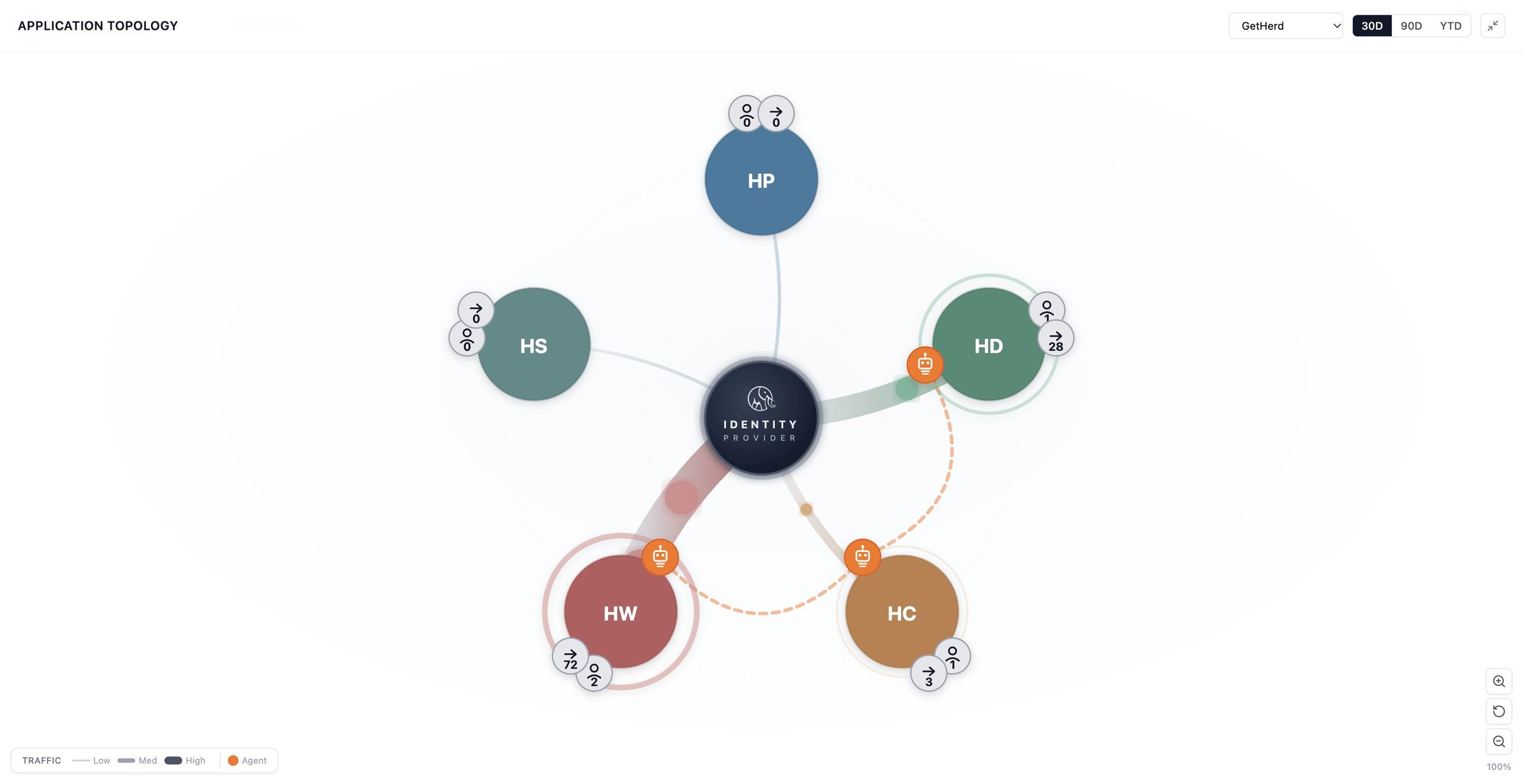
03Topology
The whole estate at a glance
The Application Topology puts the identity provider at the center with every application around it. Line weight shows sign-in traffic, and orange badges mark applications with AI agents enabled.
-
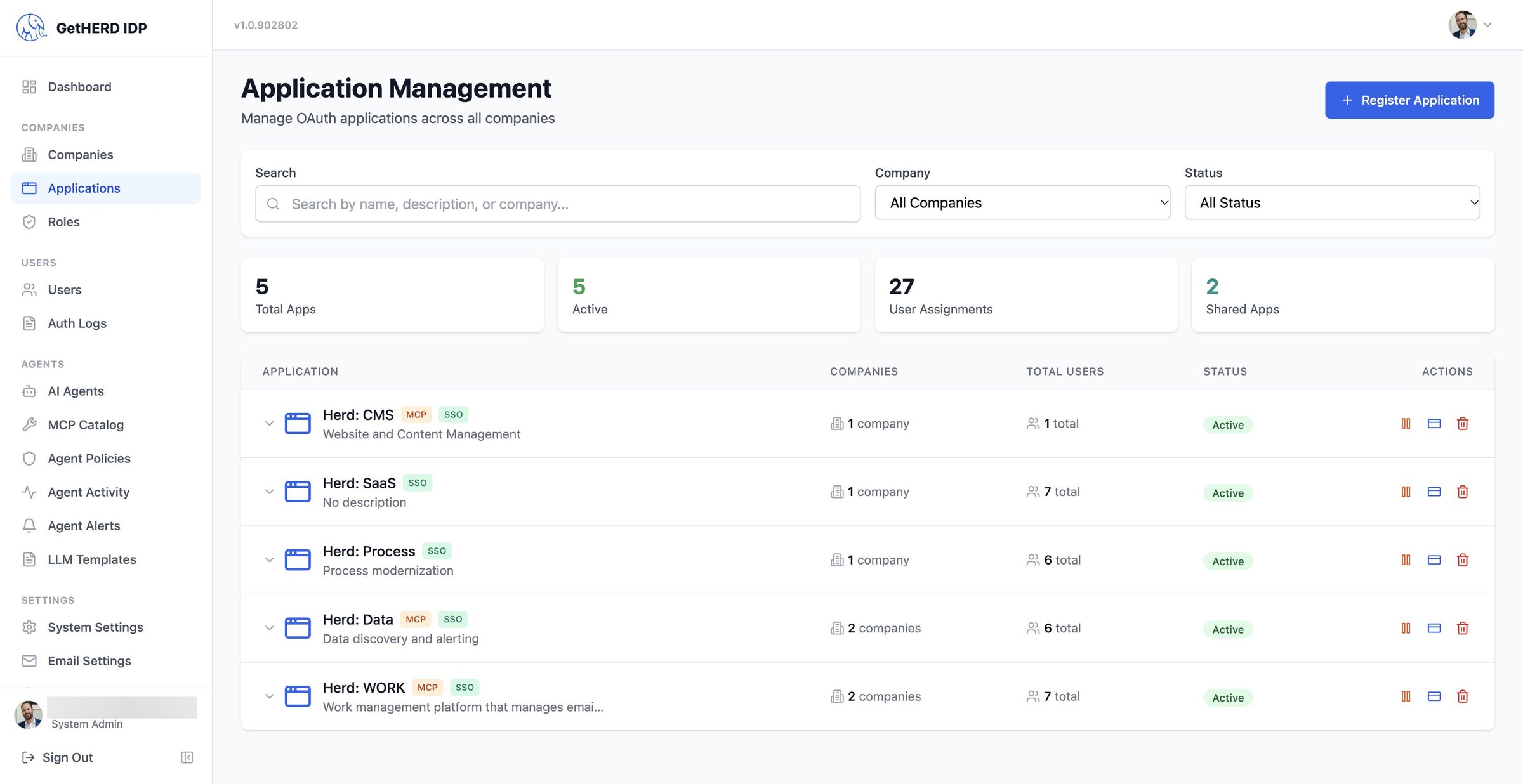
04Applications
SSO and MCP, side by side
Every application is registered once. Badges show which apps offer single sign-on and which also expose MCP tools for AI agents.
-
05Policies
Agents, governed
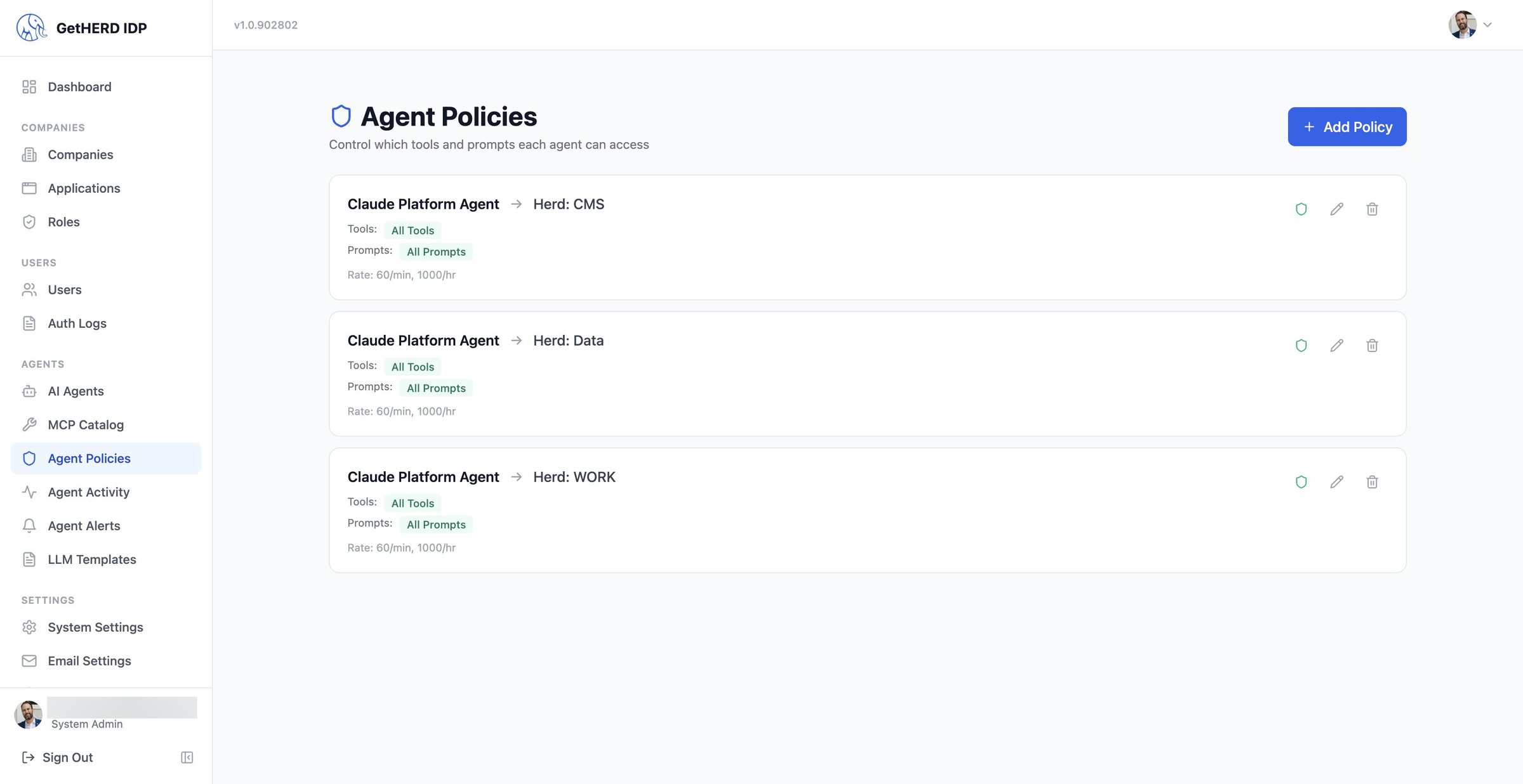
Agent Policies set exactly which tools and prompts an agent may use in each app, with rate limits. Here one agent is allowed into Herd: CMS, Data and WORK.
-
06Catalog
35 tools, one catalog
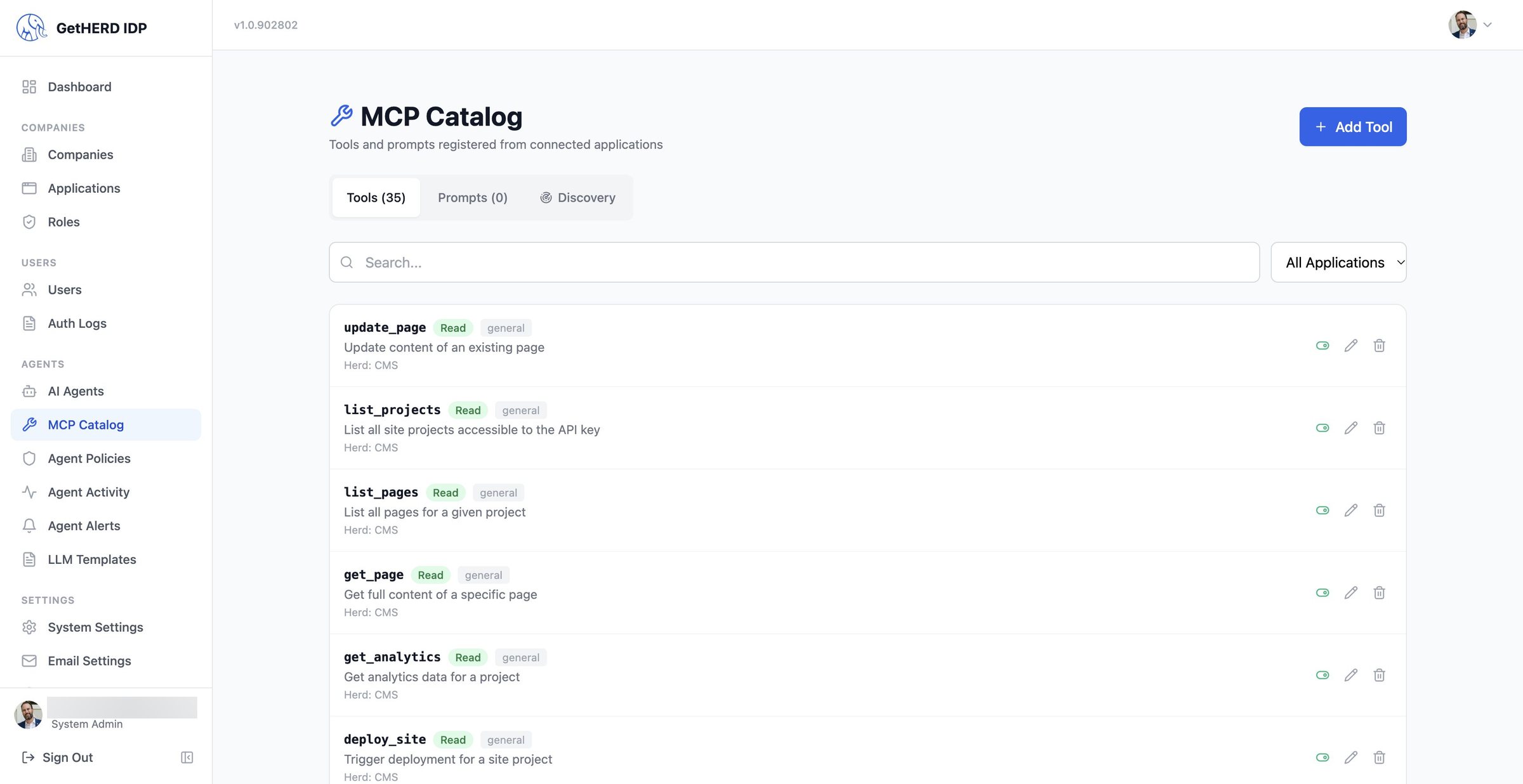
The MCP Catalog lists every tool registered from connected applications, so admins can see and switch off what agents can call.
-
07Ask
One conversation, every tool
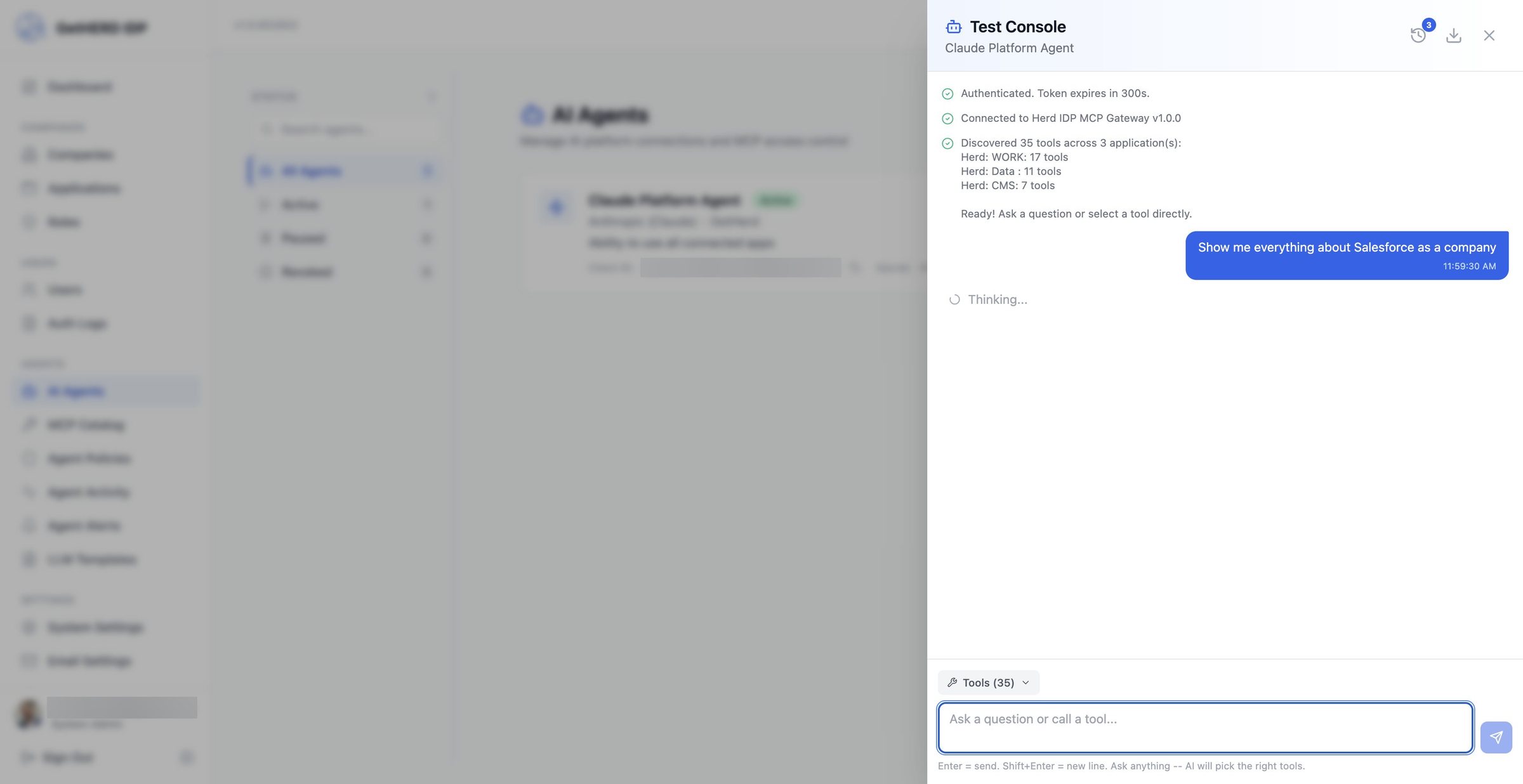
The agent signs in through the IDP and discovers 35 tools across three applications. Then you just ask: "Show me everything about Salesforce as a company."
-
08Answer
One answer, many apps
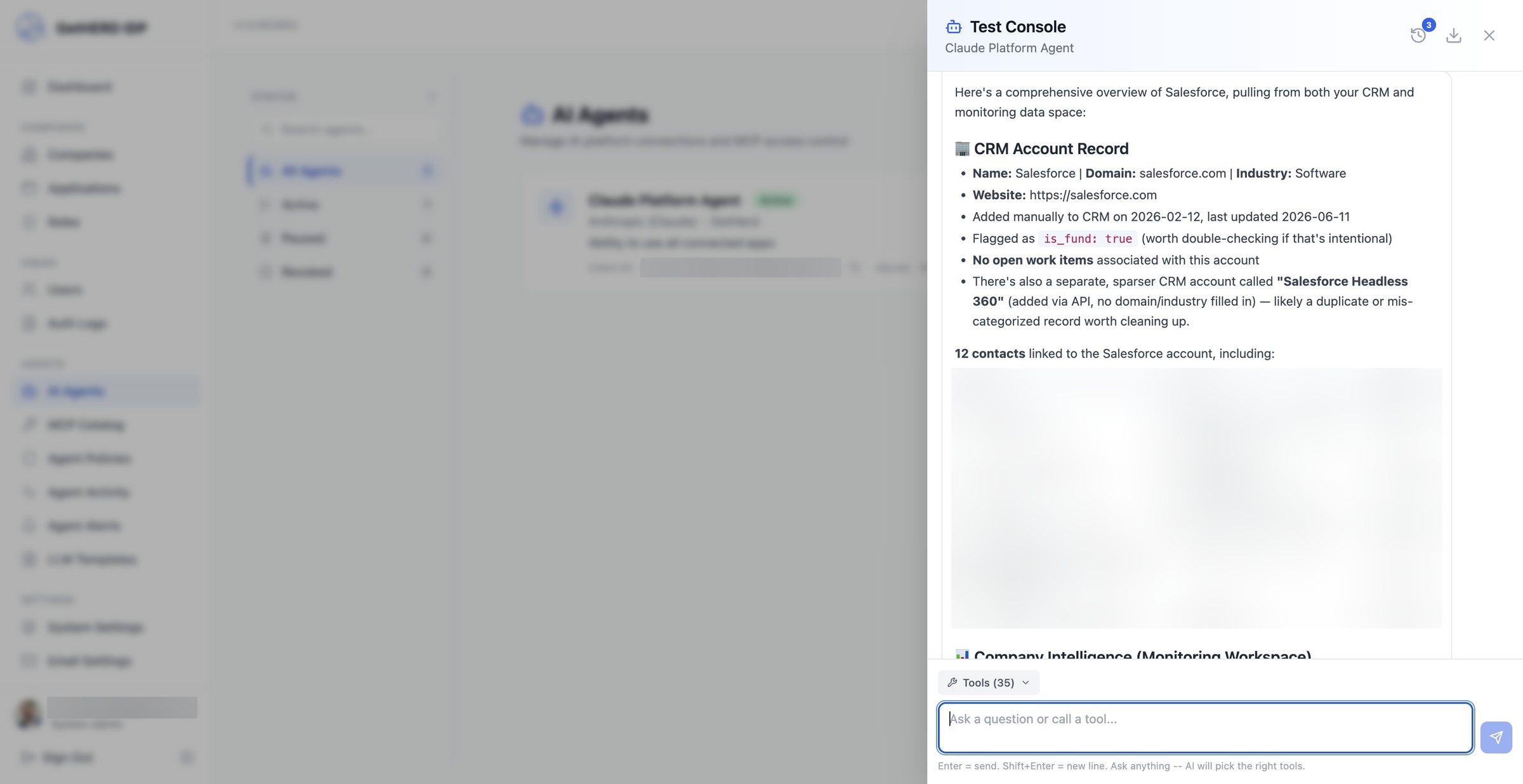
The agent combines the CRM record and contacts from Herd: WORK with company intelligence from Herd: Data into one answer. Contact details are blurred here.
-
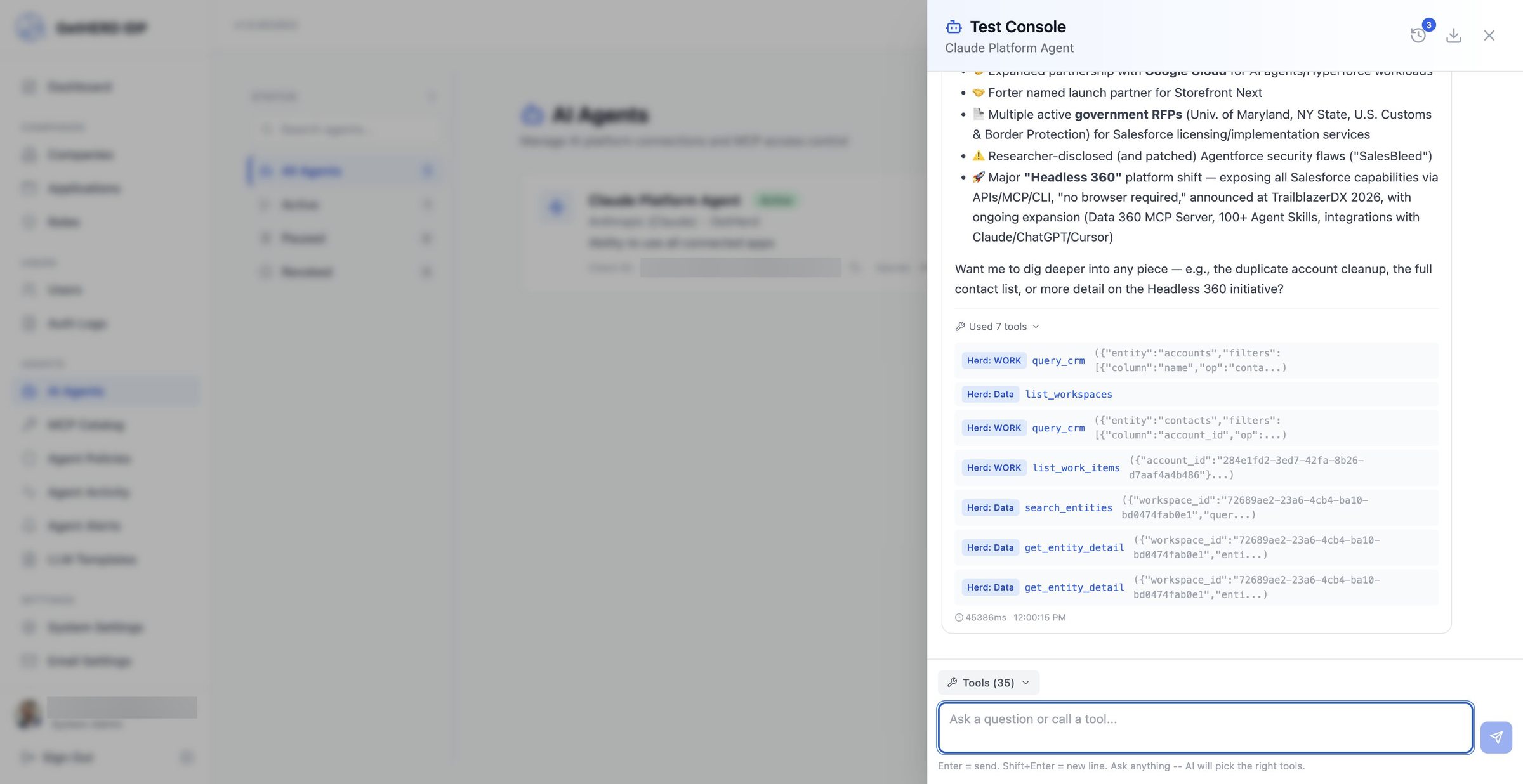
09Tools
Seven tools, two apps
The answer lists the tools it used: query_crm and list_work_items in Herd: WORK, plus search_entities and get_entity_detail in Herd: Data, all in a single conversation.
-
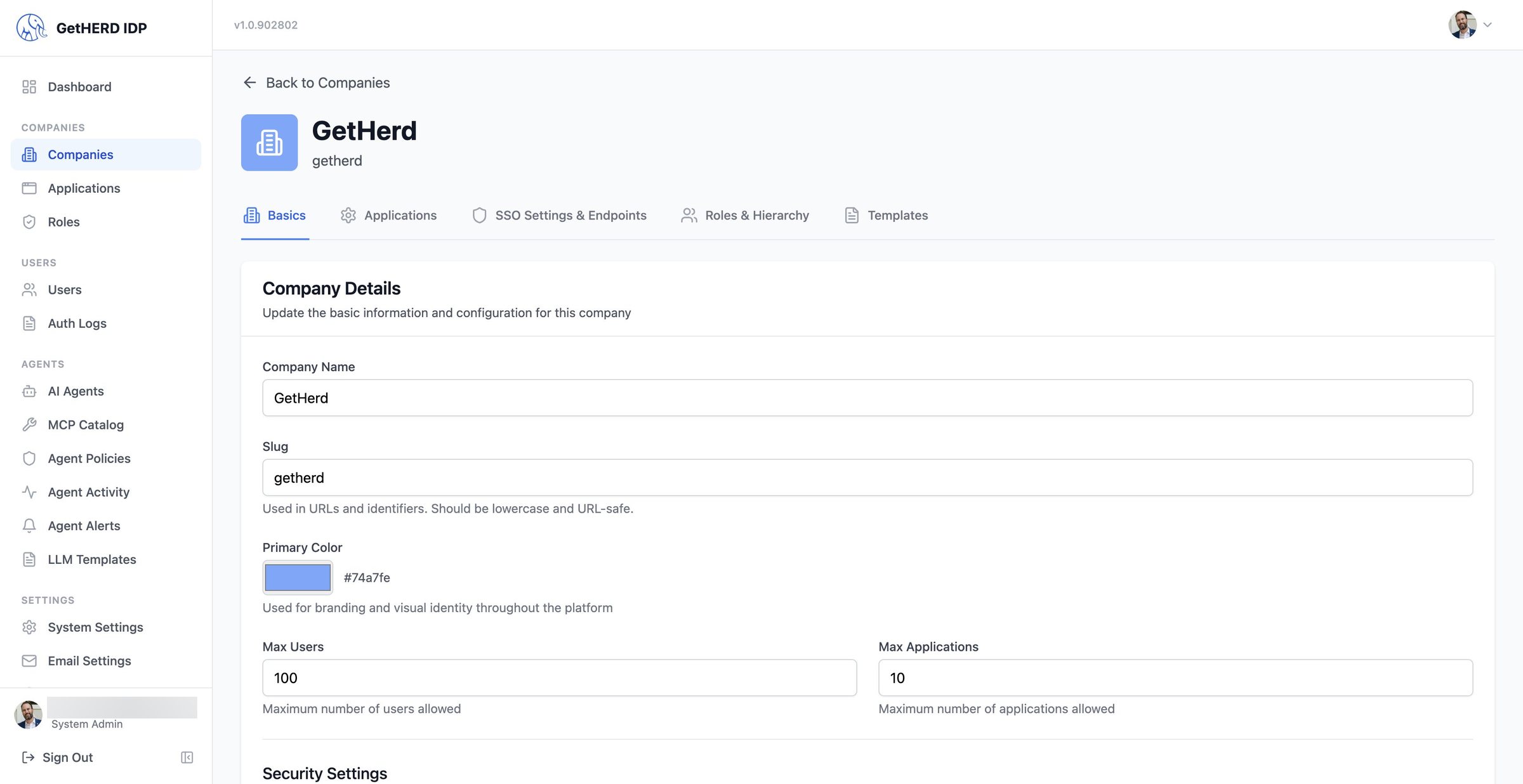
10Company
Company setup
Each company has its own basics, limits, branding and security policy, including required MFA and passkey sign-in.
-
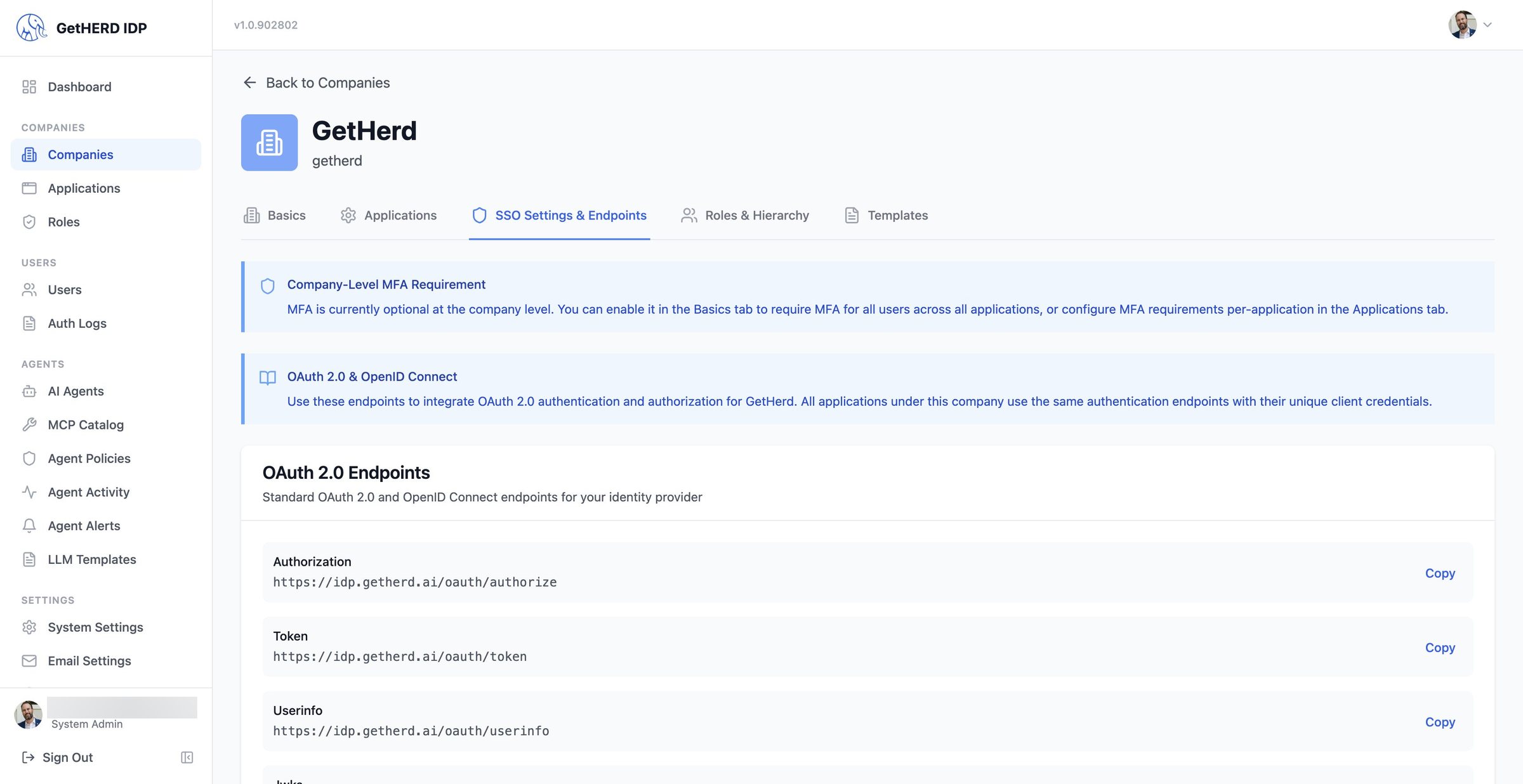
11Endpoints
Standard OAuth and OpenID Connect
Standard OAuth 2.0 and OpenID Connect endpoints let any compliant app sign in through Herd, alongside SAML.
-
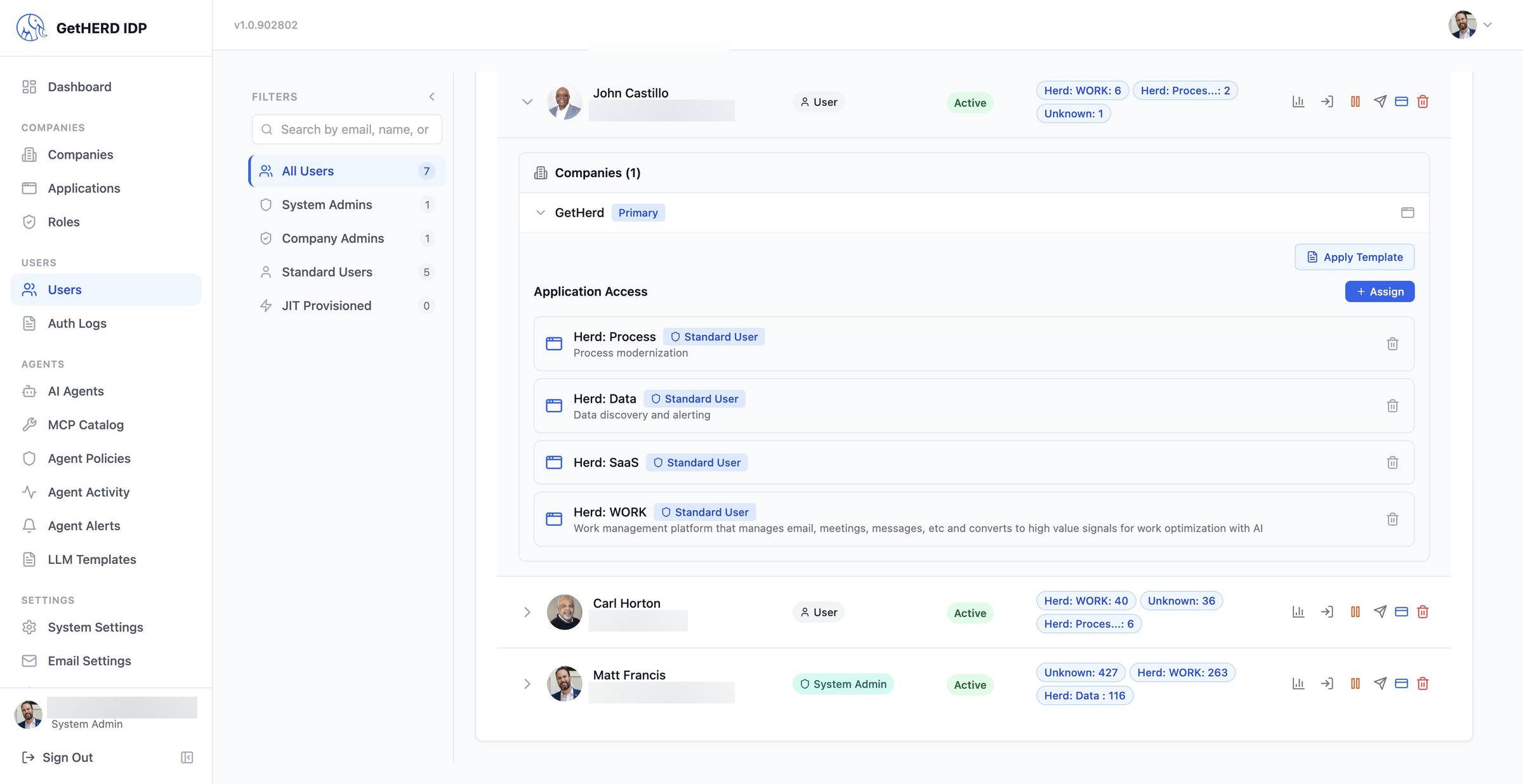
12Users
Access to one app or many
Expand any user to see their company, each application they can open, and the role they hold in it. Assign more with one click.
-
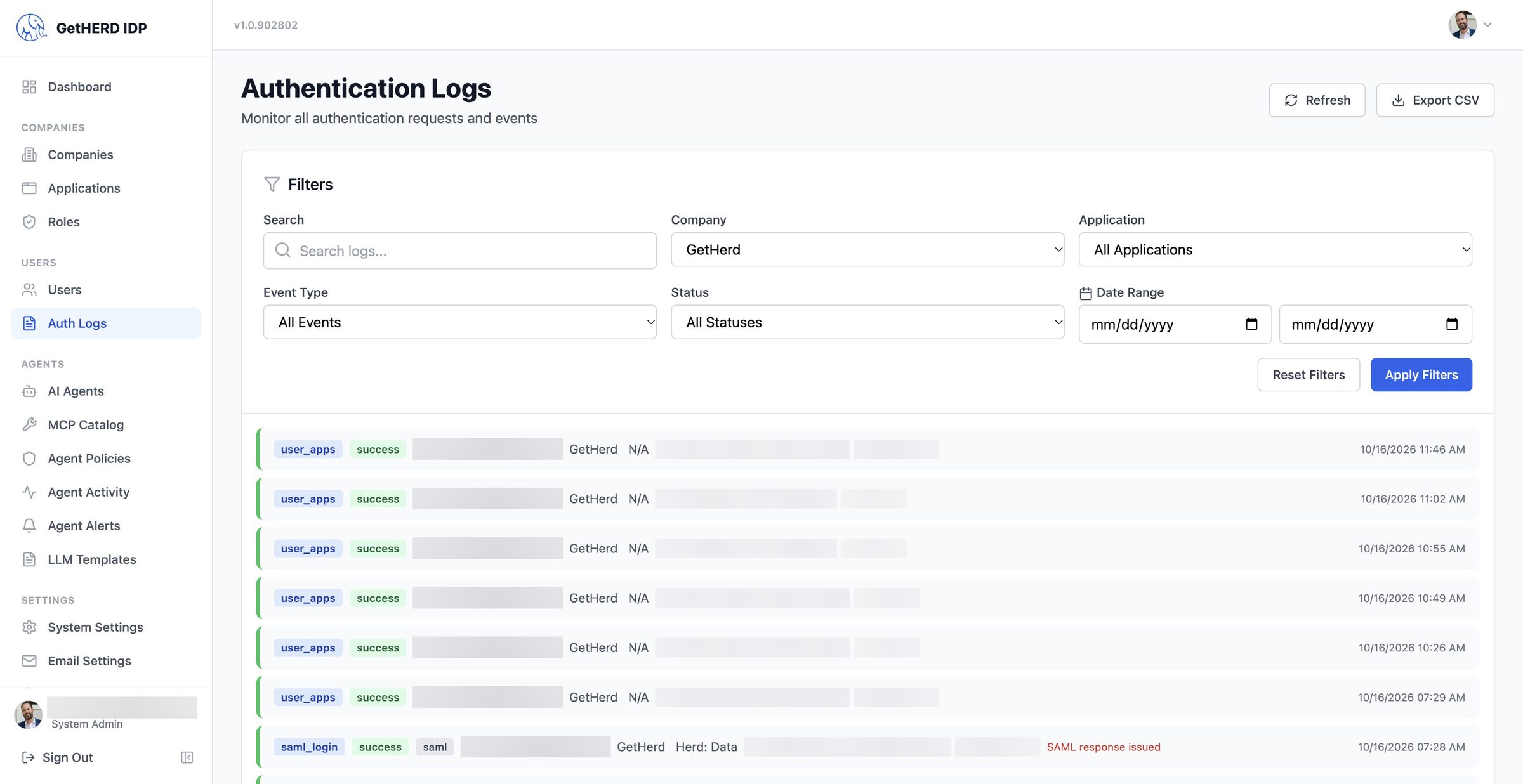
13Logs
Every sign-in, on the record
Auth Logs record SAML logins, passkey checks and app access, filterable by company, application, event and status, and exportable to CSV.
01 / 13Sign in once
The bottom line
Single user identity across all Herd AI applications and any SSO/SAML-enabled application in your company.
No more multiple logins.
Welcome to the Oasis.
Want one sign-in for your company?
See Herd IDP on your own apps and sign-in flows. A founder replies within one business day.