
Herd: Mobile · Field service, run from your phone
Quote it on site.
Signed before you leave.
HERD Mobile gives field crews an AI assistant that turns photos and a spoken description into a priced quote from your own catalog, signed by the customer on screen.
Easy to set up. Signed quotes on site. And it works where your crews do, with or without signal.
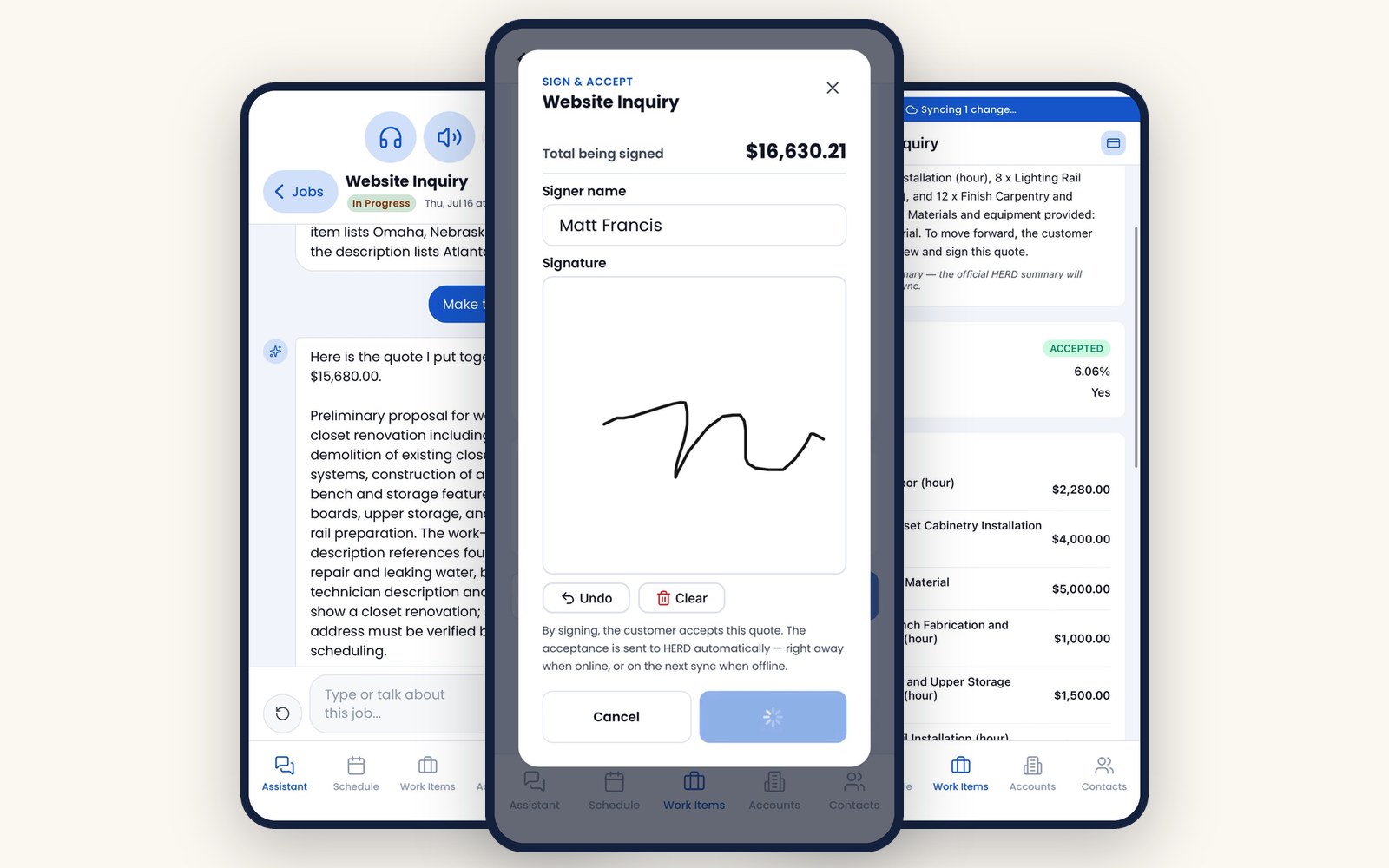
Three things your crews notice on day one
01
Easy setup
Scan the company QR code, confirm the address and sign in. Work items, accounts, contacts, catalog and quote guides load once, on first sign-in.
02
AI quotes, signed on site
Photos and a spoken description become a priced quote from your own catalog. The customer signs on screen and the quote is accepted before the crew leaves.
03
Works without signal
Everything except the AI features and card payments works offline. Changes save on the phone first and send to HERD on their own when signal returns.
The demo · 2:07 · with voiceover
From the driveway to a signed quote.
A technician sets up the app, opens a closet renovation job, takes photos and describes the work. Emma and the AI build a priced quote from the catalog, the customer signs on screen, and every change syncs to HERD when signal returns. Everything you see is the live app.
Recorded in the live HERD Mobile app. Captions available. The soundtrack in the header pauses while the video plays.
Step by step · 12 moments
Scroll the job.
The same job as the video, one screen at a time. Every image is a capture from the app.
-
01Setup
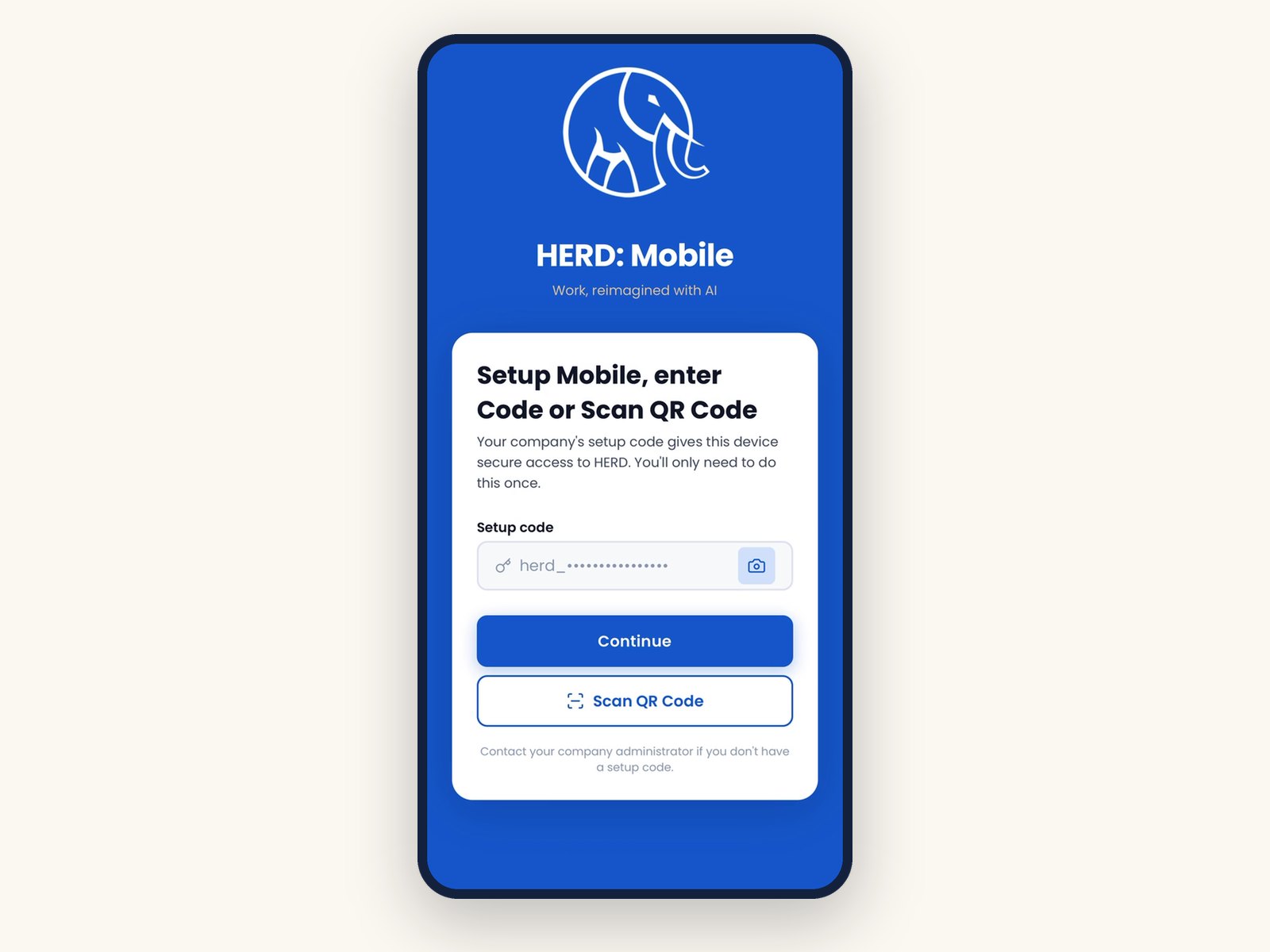
Scan your company code
Type the company setup code or scan a QR code, then sign in with email and password or a passkey.
-
02Trust
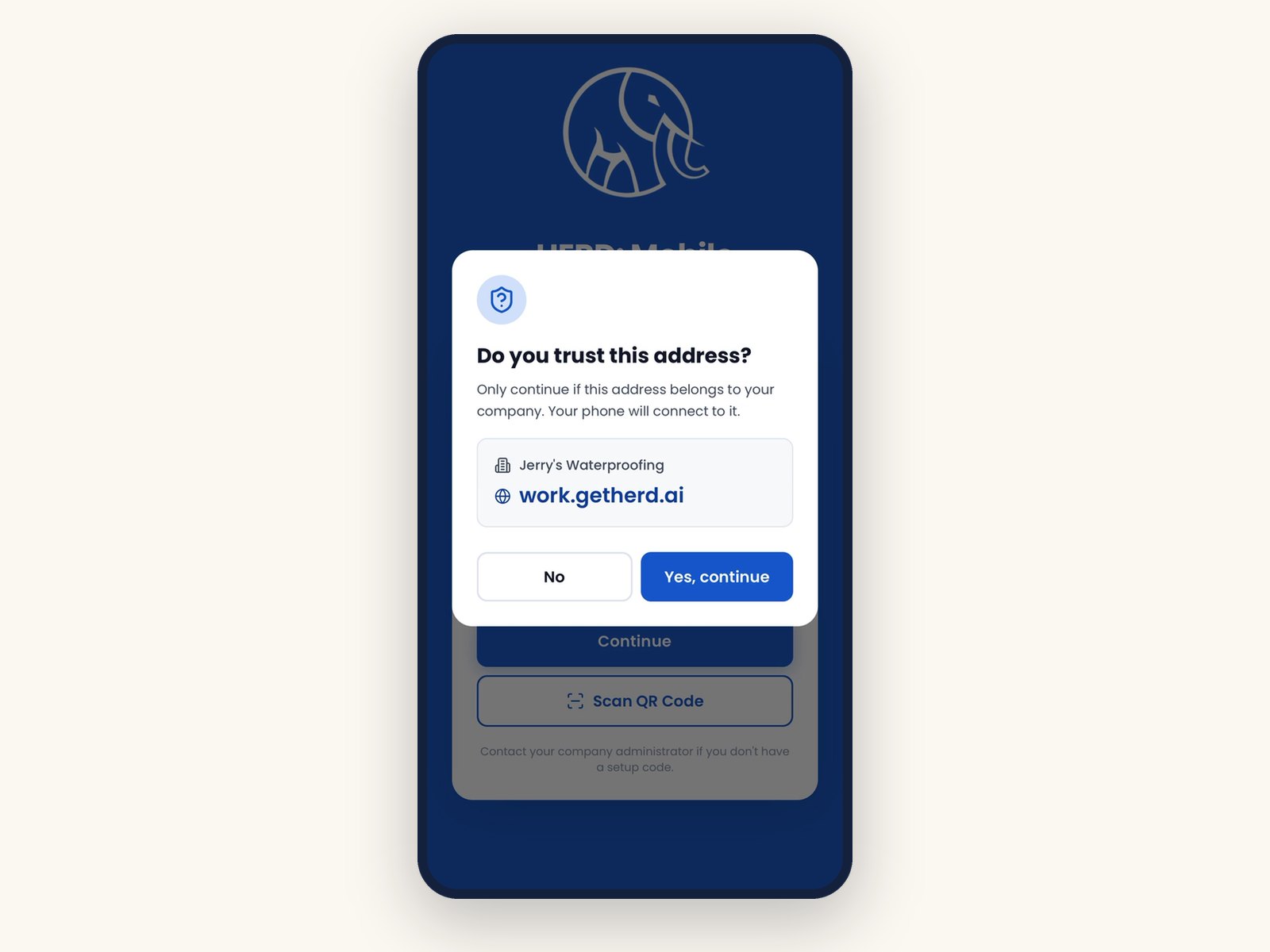
Confirm it is your company
Before saving, the app shows the company name and web address and asks: Do you trust this address?
-
03Sync
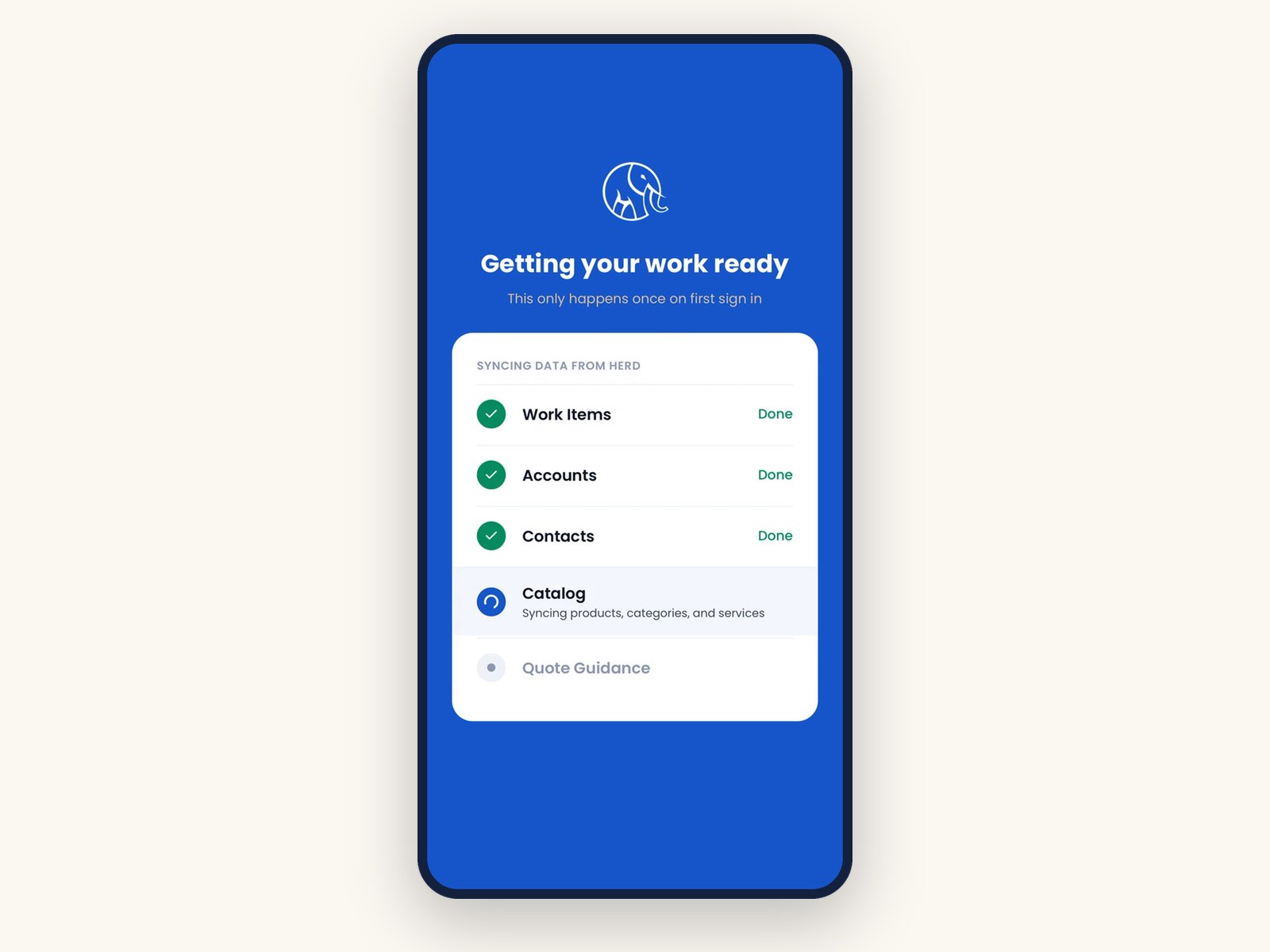
Your work, loaded once
On first sign-in HERD loads work items, accounts, contacts, the catalog and quote guides onto the phone.
-
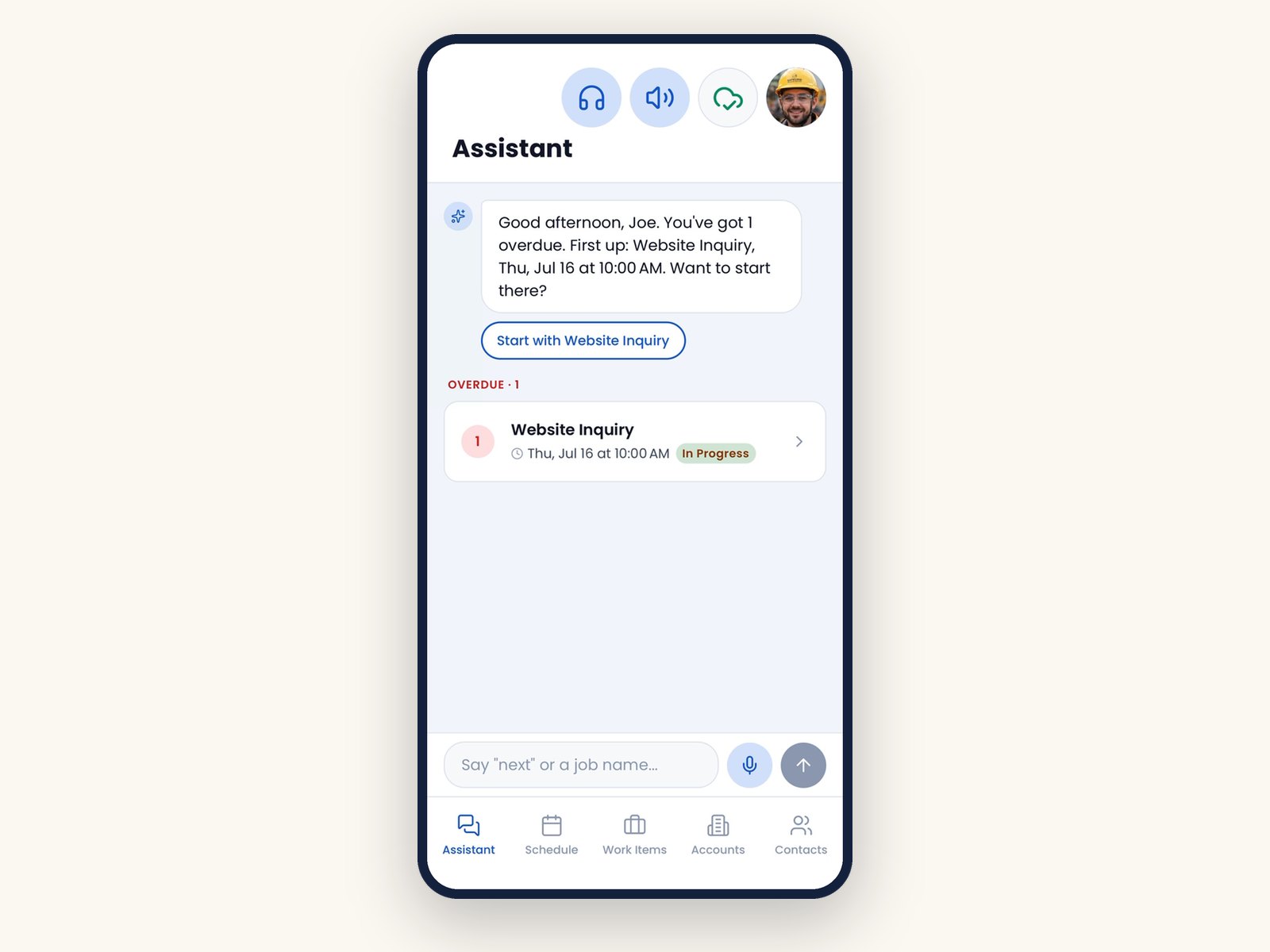
04Plan
A plan for the day
Emma greets the tech with job counts and orders the day: overdue, today, upcoming. Say next, a job number or a customer name to open a job.
-
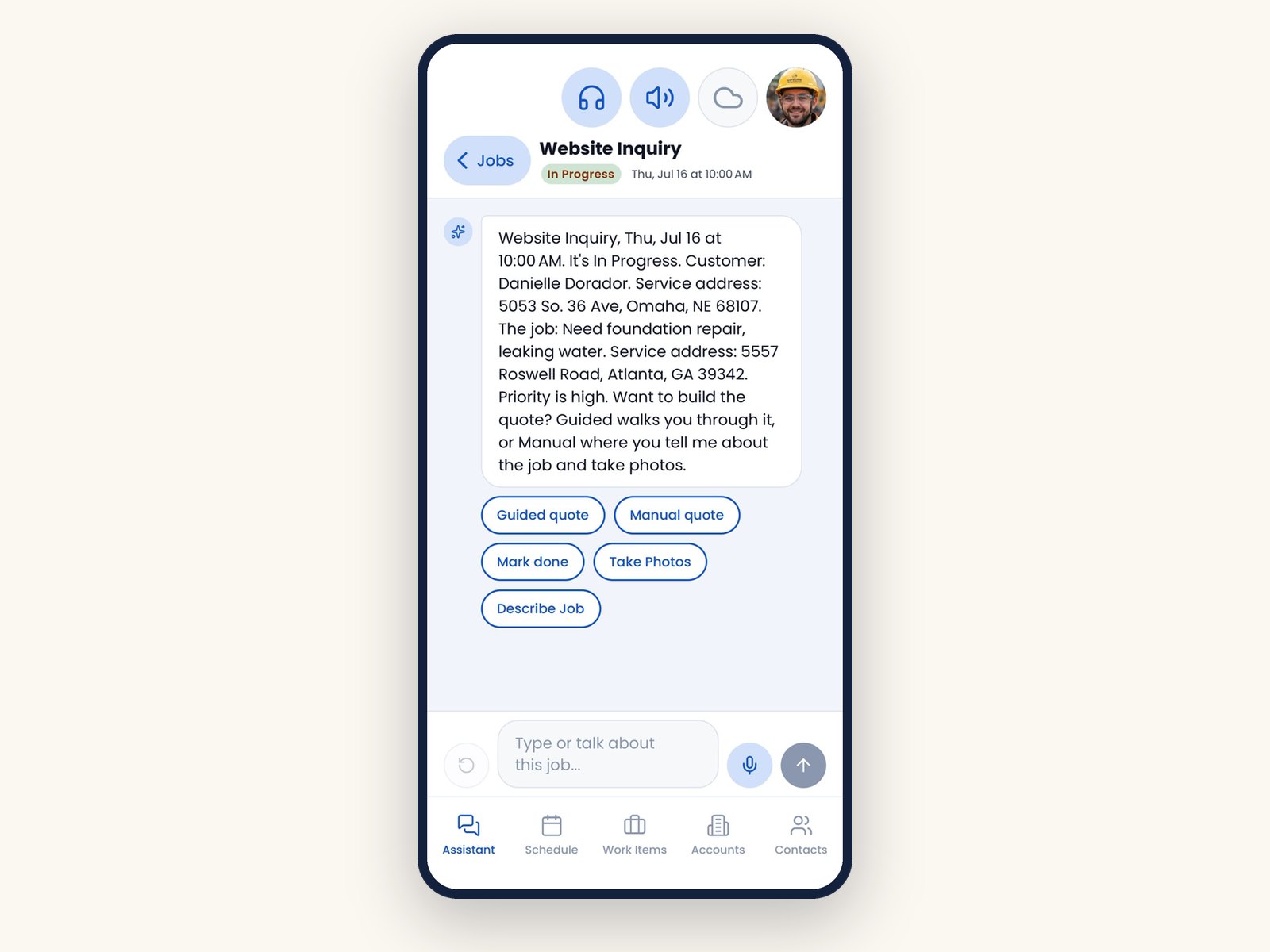
05Job
Emma has the details ready
She reads the job once, customer, address, description, notes and priority, then offers a guided quote or a manual quote built by AI.
-
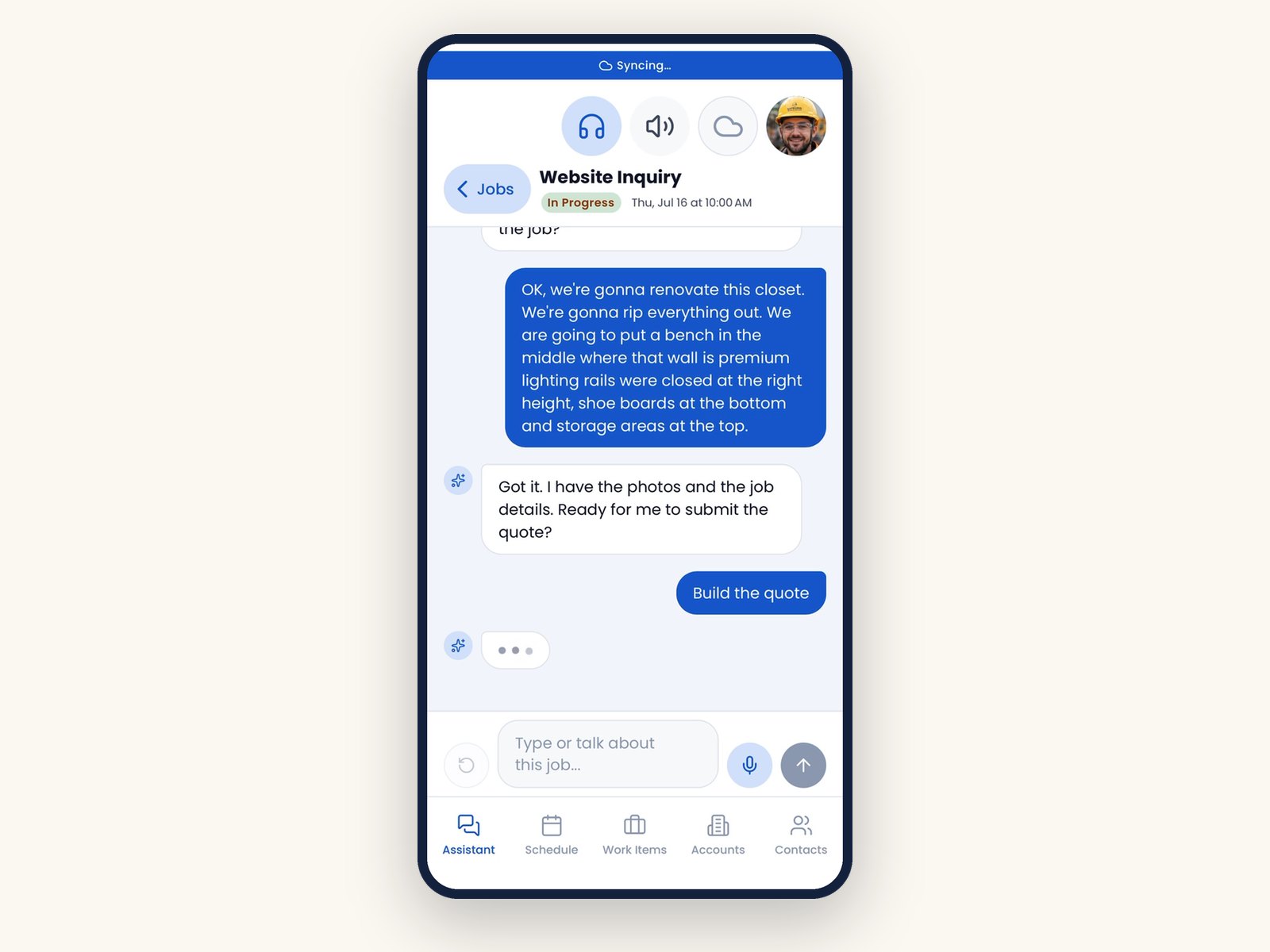
06Describe
Photos and a description
The tech adds photos and describes the job by voice or typing, in either order. Once Emma has both, she asks if you are ready to submit.
-
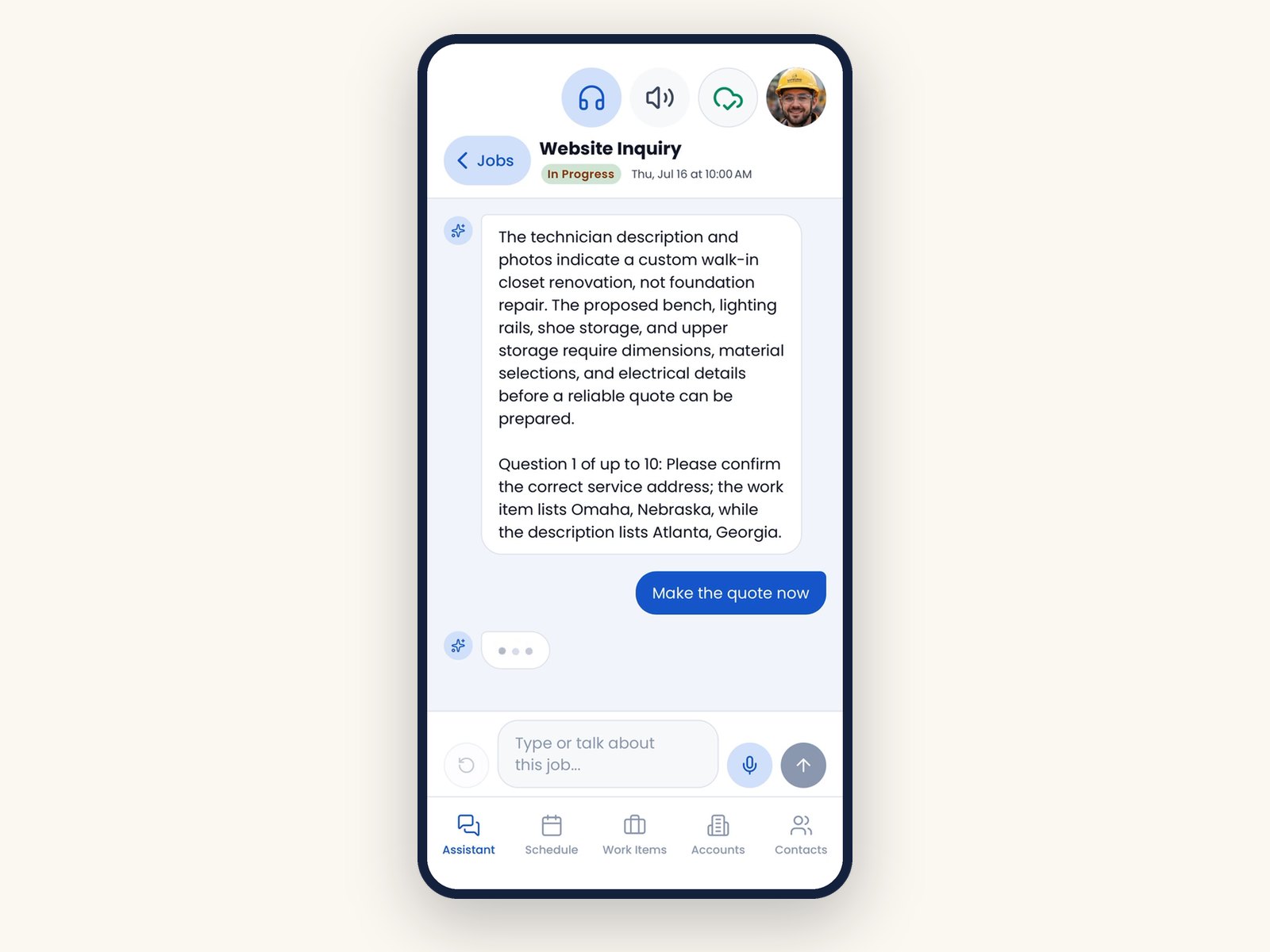
07Ask
Follow-up questions, one at a time
The AI asks anything it still needs before it prices the work, one question at a time.
-
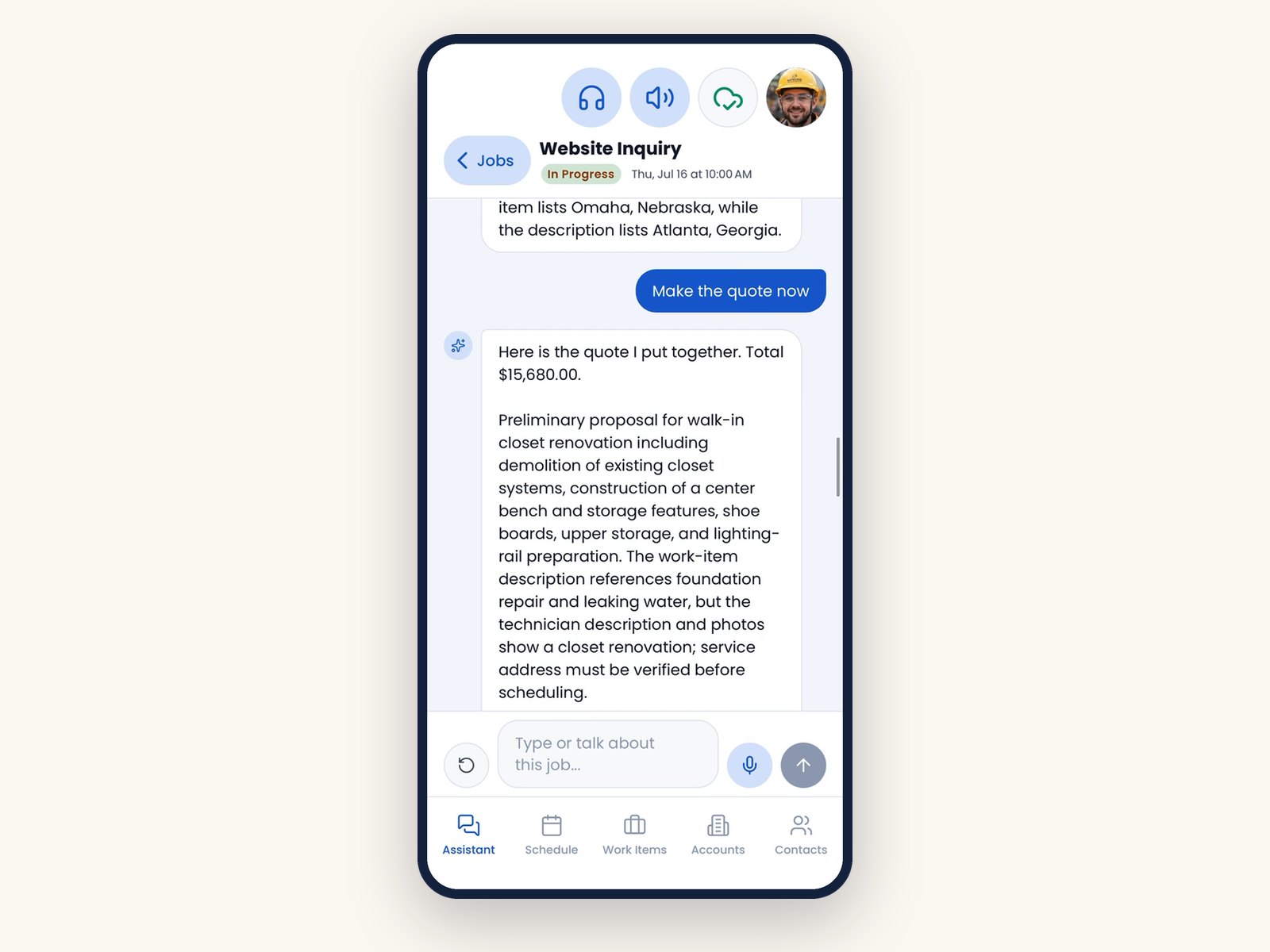
08Draft
Priced lines from your catalog
The AI proposes a draft quote with priced lines from your own catalog and a summary of the work.
-
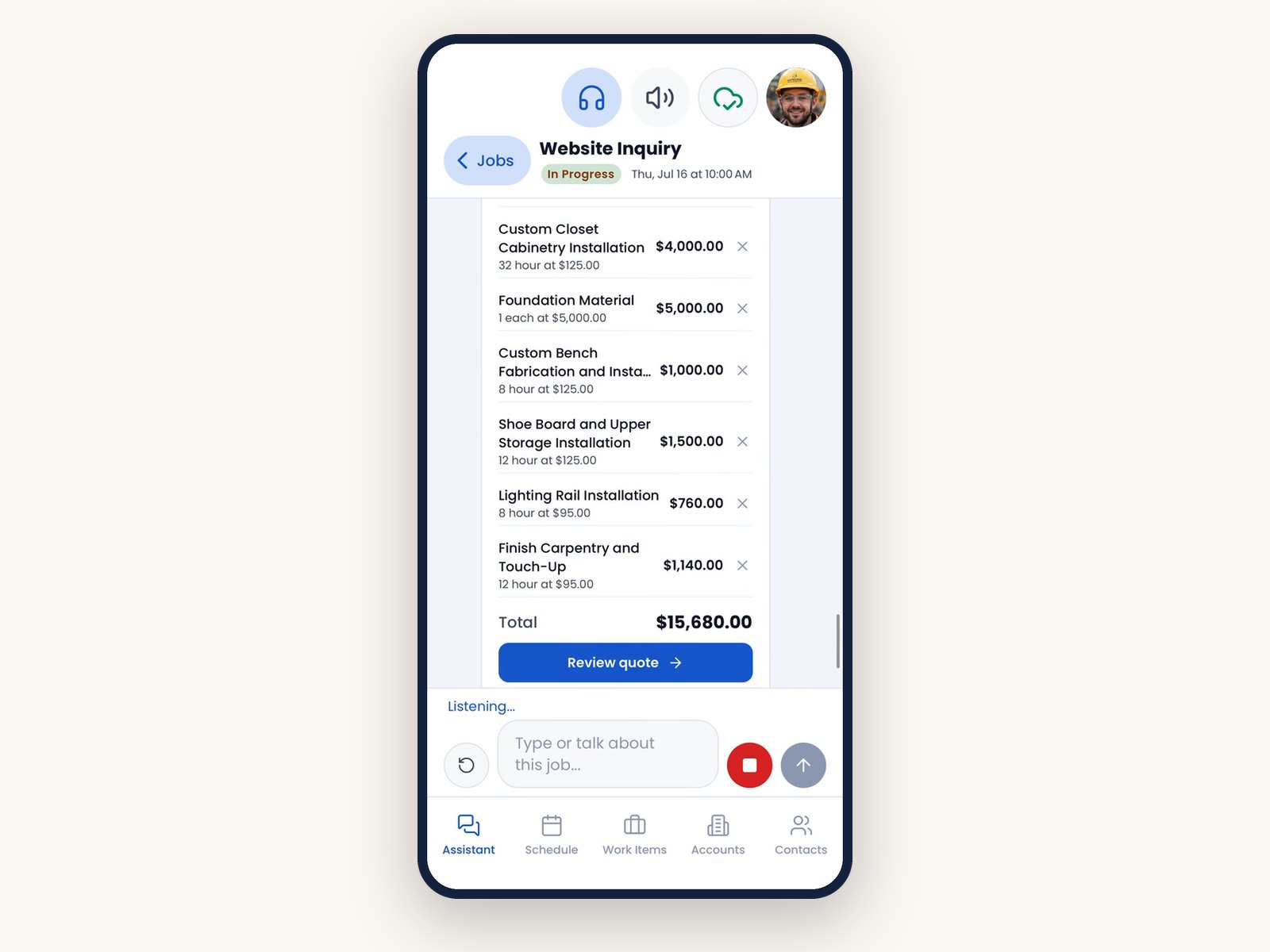
09Review
Review the lines
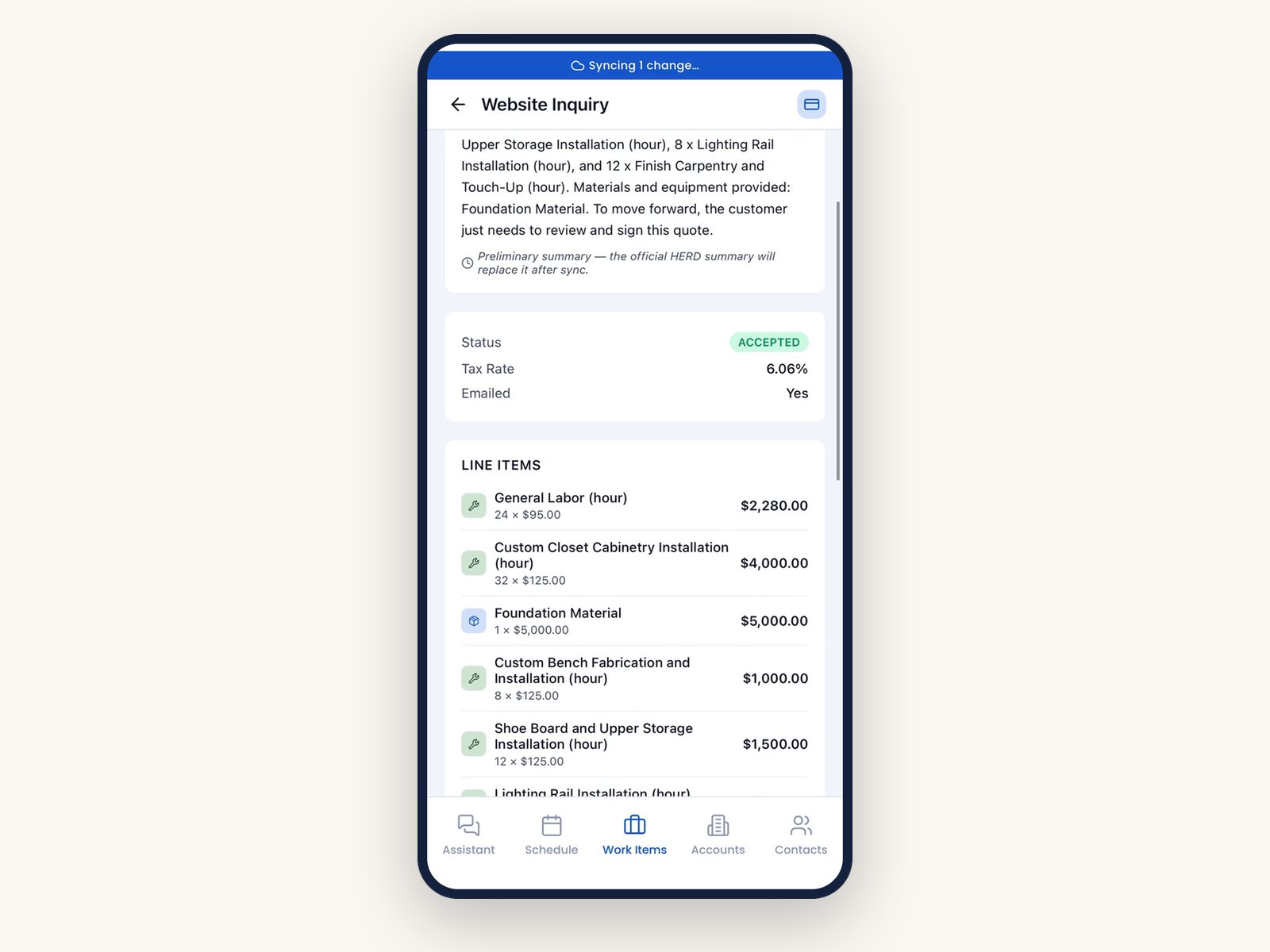
Every line item with quantity, unit price and total, ready for a final check before the customer signs.
-
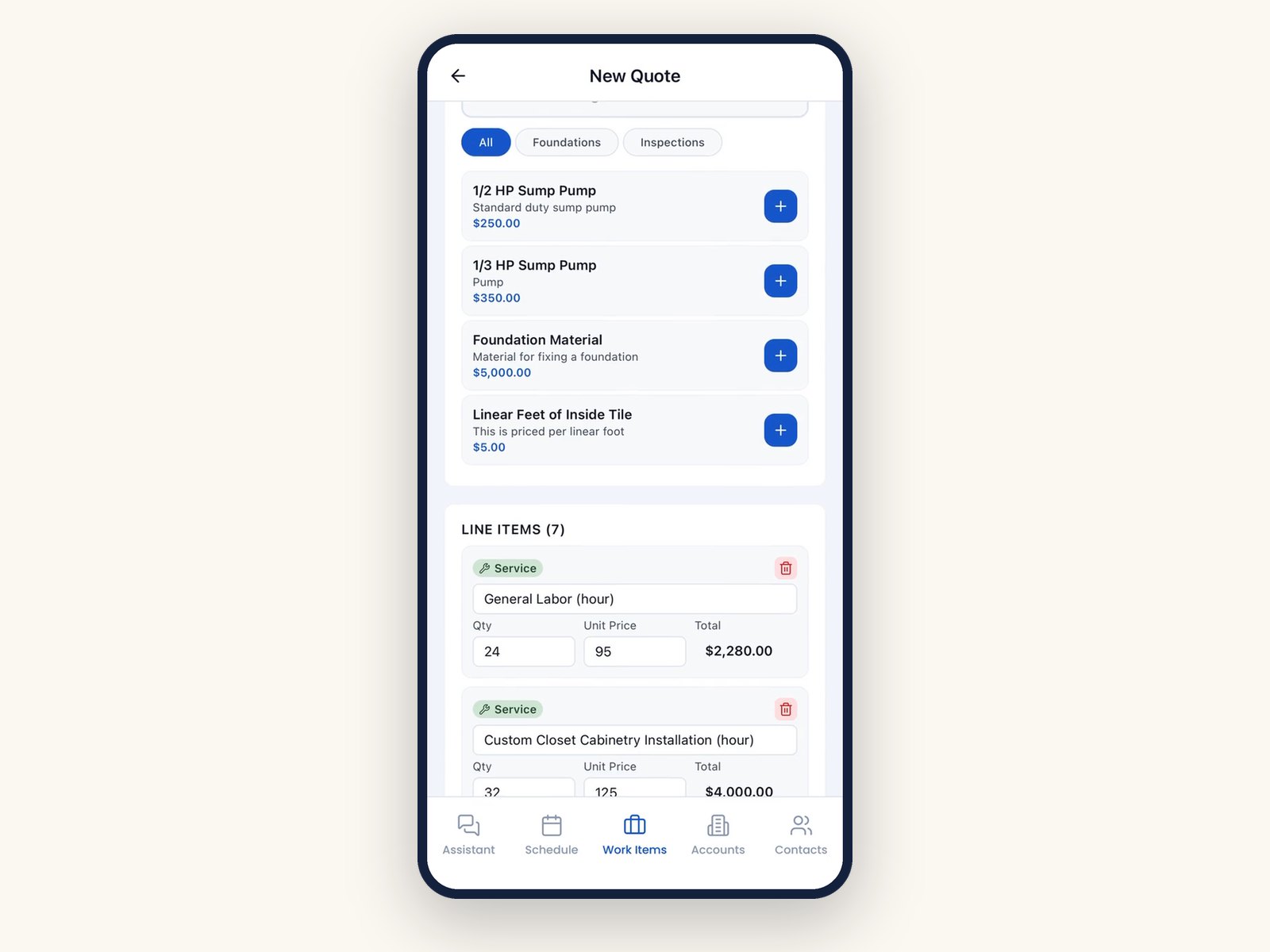
10Builder
Adjust in the quote builder
Add catalog items by search or voice and edit quantities and prices. Items not in the catalog are clearly marked.
-
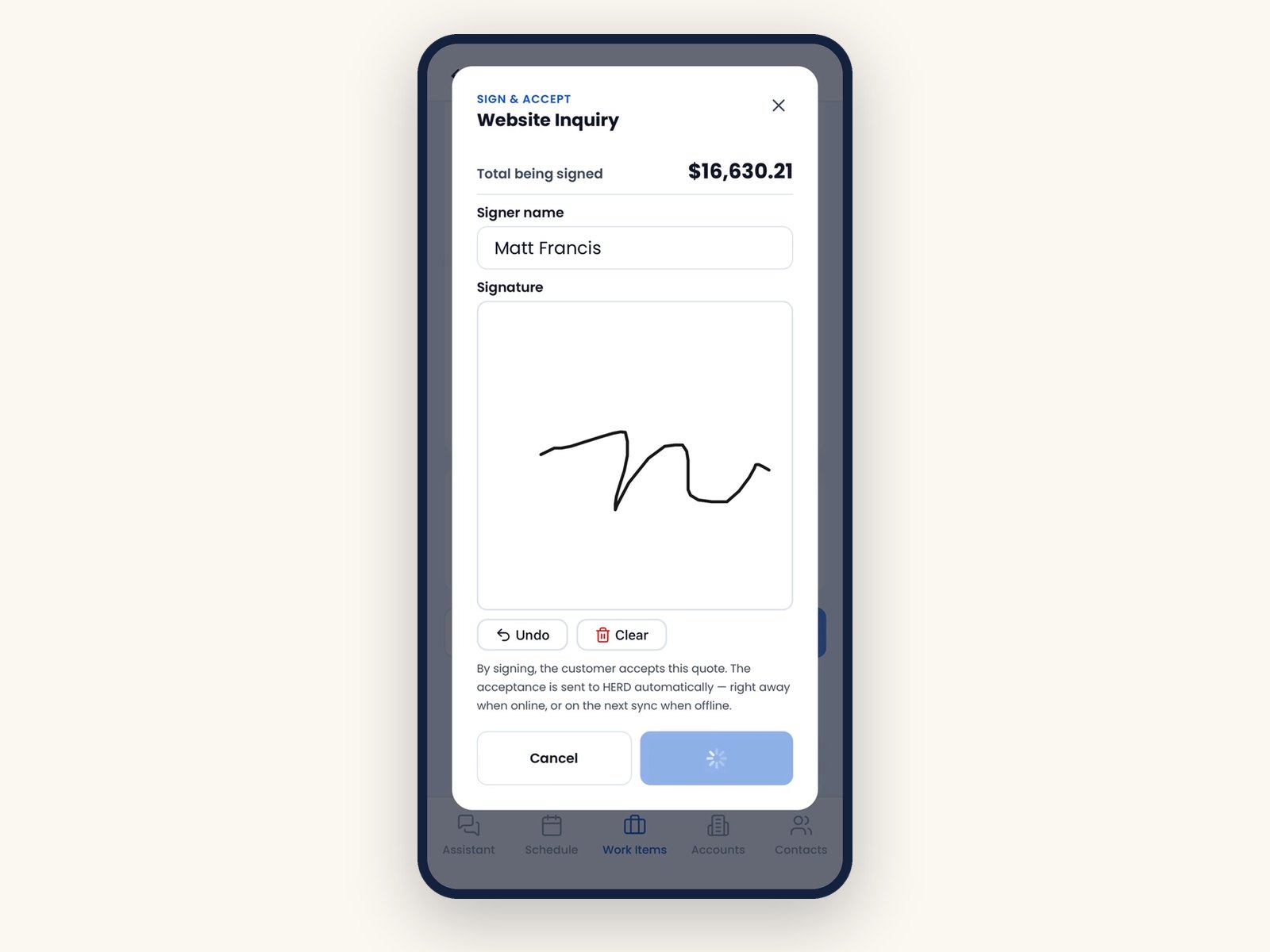
11Sign
Signed on screen
The customer signs on the phone, which accepts the quote. It is sent to HERD right away when online, or on the next sync when offline.
-
12Accepted
Accepted, and on its way
The quote shows Accepted. A banner shows what is still syncing, and HERD gets the signed quote on its own when signal returns.
01 / 12Scan your company code
Built for the field
Made for crews, not desks.
Chat or traditional
Run the day by talking to Emma, or use standard list and detail screens. Switch any time.
Hands-free and glove-friendly
Emma listens after each question and never while speaking. Mute and hands-free buttons are sized for gloves.
Guided quotes
Follow your company question guides step by step. Required items are added and recommended items offered, with tax by location.
English, Spanish, Portuguese
Latin American Spanish and Brazilian Portuguese on the phone, with an English copy of every quote kept for the office.
Job site photos and drawings
Photos are shrunk and uploaded when signal returns. Sketches attach to the job, and AI quote conversations are saved as an audit trail.
Secure by design
The setup code stays on the server side, backups are encrypted per device, and photos are shown only through short-lived links.
The bottom line
Accurate quotes from your own catalog, accepted on site.
Easy to set up, and it works where your crews do.
Welcome to the Oasis.
Want this for your crews?
See HERD Mobile on your own jobs and catalog. Field service partners can offer it under their own brand. A founder replies within one business day.